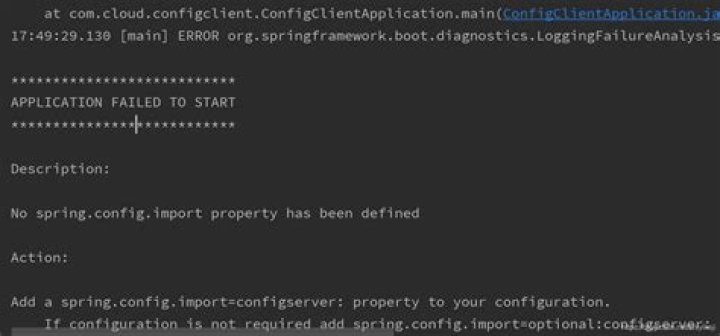

While creating Spring Boot cloud config application getting below error. Any help on this?
No spring.config.import property has been defined Action: Add a spring.config.import=configserver: property to your configuration. If configuration is not required add spring.config.import=optional:configserver: instead. To disable this check, set spring.cloud.config.enabled=false or spring.cloud.config.import-check.enabled=false. 12 Answers
Solution: Add the below dependency in the pom.xml file:
<dependency> <groupId>org.springframework.cloud</groupId> <artifactId>spring-cloud-starter-bootstrap</artifactId> </dependency> That resolved my issue.
8You're getting this error because you're using a new version of Spring Boot and Spring Cloud, but you're trying to configure it in the old way.
The Reason
Spring Cloud Config Client has changed and technically bootstrap.properties and bootstrap.yml files are deprecated.
Correct Solution
- Move all properties from
boostrap.propertiestoapplication.properties(it can be.ymlas well) - Remove
bootstrap.propertiesfile - Replace
spring.cloud.config.uri=withspring.config.import=configserver:
This is a proper way to tell you Spring Boot app that you want to load properties from the Spring Cloud Config service that is running on localhost:8888.
Legacy Solution
In case you want to use a legacy bootstrap.properties file, you just need to add the following dependency:
<dependency> <groupId>org.springframework.cloud</groupId> <artifactId>spring-cloud-starter-bootstrap</artifactId> </dependency> Please note that this is a deprecated mechanism, so if you're creating a new project, go ahead with the correct solution.
1Root cause is Spring Boot 2.4 changed its default functionality. A new spring.config.import property is mandatory.
To fix, add the new spring.config.import property. Here is an example of what worked for me in application.yml.
spring: config: import: "optional:configserver:" Here is the documentation in case you need to set a different value:
1Spring Boot Config Data Import
Spring Boot 2.4 introduced a new way to import configuration data via the spring.config.import property. This is now the default way to bind to Config Server.
Importing configuration since Spring Boot 2.4 is done by spring.config.import functionality.
Adding below to application.properties connects to the default config server URL .
spring.config.import=optional:configserver: or yml:
spring.config.import: "optional:configserver:" More configuration options are described in the reference documentation.
Legacy bootstrap functionality is still available if you add the org.springframework.cloud:spring-cloud-starter-bootstrap dependency to your project.
Add bootstrap.yml file:
spring: cloud: config: enabled: true uri: where 9296 is your cloud-config server port
and add below dependency:
<dependency> <groupId>org.springframework.cloud</groupId> <artifactId>spring-cloud-starter-bootstrap</artifactId> </dependency> If above doesn't work, simply add below properties to your application.yml file to stop the port check at place as you've already defined that in bootstrap.yml
spring: cloud: config: import-check: enabled: false I was getting this issue while implementing spring-cloud-config client. I have added bootstrap.yml to specify config server address.
Later on, added the below code in application.yml itself which resolved the issue.
spring: application: name: user-service config: import: optional:configserver: Error message itself has suggestions / action towards the solution:
Add a spring.config.import=configserver: property to your configuration. If configuration is not required add spring.config.import= optional:configserver: instead. To disable this check, set spring.cloud.config.enabled=false or spring.cloud.config.import-check.enabled=false. Adding this dependency resolved my issue too: spring-cloud-starter-bootstrap
I'm using Spring Cloud Config Server on port 8888 on localhost, Spring version 2.5.4 and Java 16
My bootstrap.properties:
spring.application.name=hr-worker # Server Config spring.cloud.config.enabled=true spring.cloud.config.uri= To stop to get error, i've just put this configuration in my application.properties:
spring.config.import=optional:configserver: I got past the error by removing dependency spring-cloud-starter-config. If you keep it, then it will keep prompting. I think with newer Spring Boot we do not need the dependency.
<dependency> <groupId>org.springframework.cloud</groupId> <artifactId>spring-cloud-starter-config</artifactId> </dependency> bootstrap.properties:
spring.application.name=config-client-app eureka.client.server-url.defaultZone= spring.config.import=optional:configserver: Spring version I'm working with:
<spring-cloud.version>2020.0.3</spring-cloud.version> I got past the error using a version of spring 2.4.4 I was working in that moment with 2.5.1
application.properties:
` spring.application.name=testserv spring.profiles.active=prodtest spring.config.import=optional:configserver: spring.cloud.config.enabled=true spring.cloud.config.uri= management.endpoints.web.exposure.include=* eureka.instance.preferIpAddress = true eureka.client.registerWithEureka = true eureka.client.fetchRegistry = true eureka.client.serviceUrl.defaultZone = ` <spring-cloud.version>2020.0.3</spring-cloud.version>
For spring version > 2.6.6 add below property in application.property.
spring.application.name=... //name of application
spring.profiles.active=prodtest
spring.config.import=optional:configserver:
spring.cloud.config.enabled=true
spring.cloud.config.uri=
management.endpoints.web.exposure.include=*
eureka.instance.preferIpAddress = true
eureka.client.registerWithEureka = true
eureka.client.fetchRegistry = true
eureka.client.serviceUrl.defaultZone =




