
this is the first time I am posting here but I am kind of desperate.
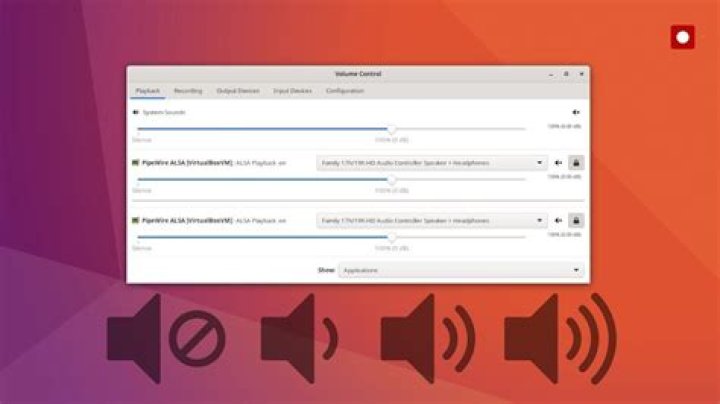
I don't have any more sound on my laptop, only "Dummy output" whereas it was working fine yesterday. I tried several methods, uninstalling and reinstalling alsa and pulseaudio then force reload, stop win10 from hibernating, literally everything I could find on the internet. Here are some unsuccessful solutions I tried :
- No sound on Ubuntu 18.04
- Ubuntu 18.04.1 LTS, Dummy output, no sound
- No sound in Ubuntu 18.04 HP notebook
I have a dual boot Win10/Ubuntu 18.04. Here are some information that could be useful for you :
wob@hp-envy:~$ inxi -SMA System: Host: hp-envy Kernel: 5.3.0-42-generic x86_64 bits: 64 Desktop: Gnome 3.28.4 Distro: Ubuntu 18.04.4 LTS Machine: Device: laptop System: HP product: HP ENVY Laptop 13-aq0xxx v: Type1ProductConfigId serial: N/A Mobo: HP model: 85E2 v: 29.27 serial: N/A UEFI: Insyde v: F.08 date: 08/15/2019 Audio: Card Intel Device 9dc8 driver: snd_soc_skl Sound: Advanced Linux Sound Architecture v: k5.3.0-42-generic wob@hp-envy:~$ inxi -SMA | cs wob@hp-envy:~$ alsamixer cannot open mixer: No such file or directory alexis@hp-envy:~$ pulseaudio E: [pulseaudio] pid.c: Daemon already running. E: [pulseaudio] main.c: pa_pid_file_create() failed. If you have any idea of a process to find more information about what is wrong and/or how I could fix this, please help me. Thank you !
11 Answer
I found the solution.
sudo gedit /etc/modprobe.d/alsa-base.conf Add the following line to the end of this file:
options snd-hda-intel dmic_detect=0 Save and close the file and reboot your system. You should have the audio back.
Reboot
Regards
4