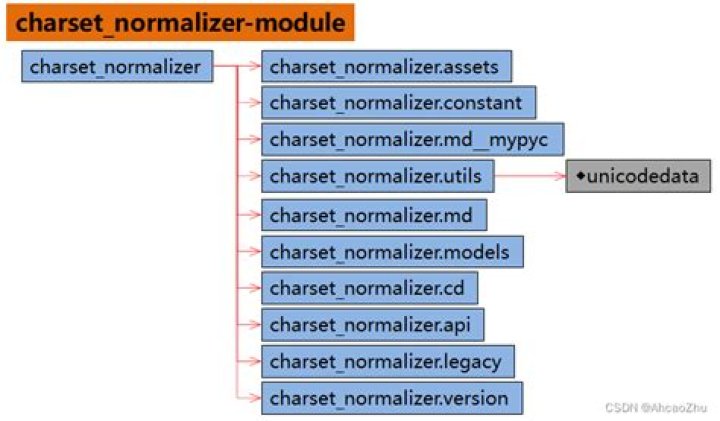

I'm using PyInstaller to compile a program and keep coming across the error "No module named 'charset_normalizer.md__mypyc.'" The Charset-Normalizer package is installed.
As a test, I tried re-compiling a program that I had previously created in early September without issue, but now receive the same error. I thought that maybe there is an issue with the versions of either PyInstaller or Charset-Normalizer so I've experimented with different versions, but cannot get it to work.
7 Answers
You are probably missing the "chardet" library I installed it and it worked.
pip install chardet I had the EXACT problem. Scripts that I was able to make into executables using Pyinstaller before I could no longer do so again. In my script I used the pdfplumber package, which when you install it also installs other packages like pillow, wand, charset-normalizer, etc.
Since the error was regarding charset-normalizer for me as well, I tried different versions of it. For me it was version 2.1.0 that made the executable work again. Install it with the "pip install charset-normalizer==2.1.0" command: .
If it does not work, go to "Release history" on that link and try another version. Try to remember when was the last time you created a working executable and get the version you think will work for you.
This worked for me:
I just added
from charset_normalizer import md__mypyc to the top of my python script.
If you don't have the charset-normalizer library installed, then you should install it using the following command:
pip install charset-normalizer Pyinstaller may sometimes miss your dependency. In such a case run pyinstaller with the --collect-all option. In this case --collect-all charset_normalizer should force pyinstaller to include the dependency.
I have already installed chardet and charset-normalizer, but I still had the problem. Then I saw this Github issue. As suggested by IsraelAbebe, I solved the problem by
python -m pip install charset-normalizer==2.1.0 This error is expected because of the way pyinstaller works.
To fix it, pass the pyinstaller CLI flag: --hidden-import charset_normalizer.md__mypyc
Or, if using SPEC file, set the hiddenimports param passed to Analysis:
a = Analysis(['minimal.py'], pathex=['/Developer/PItests/minimal'], binaries=None, datas=None, hiddenimports=["charset_normalizer.md__mypyc"], hookspath=None, runtime_hooks=None, excludes=None, cipher=block_cipher) I got it to work by installing older versions of PyInstaller and Charest-Normalizer. Anytime this messages pops-up, consider installing an older version of the package.




