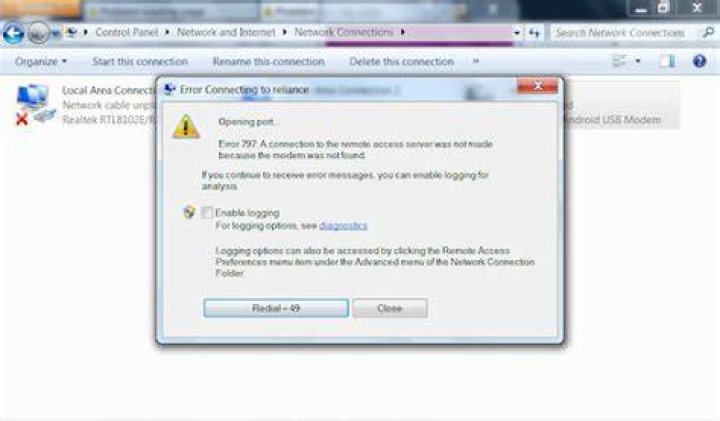

I have Windows 7 Ultimate with a PPPOE over ethernet connection, RJ cable directly plugged to my motherboard.
When i try to connect the error occurs.
To solve the proble i tried to:
- Delete and configure the broadband adapter. And it didn't worked.
- Then i restore my system from a previous point and sometimes this has worked but for a little.
- Then i've followed the steps here at Sorcim And they did not solve my problem as well.
- Then i uninstalled Realtek PCIe FE Family Controller from the device manager, but withou deleting the drivers, this solved my problem for while but after restart the same error popped up.
- Then i try to reset some settings in the host with Complete Internet rapair 3. I didn't notice a huge difference just some settings were restored to default.
1 Answer
error 797 modem was not found
This behavior can occur if the incorrect driver is installed for the modem.
To resolve this issue, remove the modem, and then restart the computer. When the computer restarts, Windows detects the modem and attempts to install the correct driver for it. To do this, follow these steps:
Log on to the computer as administrator or as a member of the Administrators group.
Click Start and then click Control Panel.
Double-click Phone and Modem Options.
Click the Modems tab.
In the "The following modems are installed" list, click the modem that you want to remove, and then click Remove.
Click Yes in response to the "Are you sure you want to remove the selected modem(s) from your system?" message.
Restart the computer.
The Found New Hardware Wizard starts. Follow the instructions in the wizard to reinstall the modem.
Source USB Modem Error 797 - "modem was not found or was busy"




