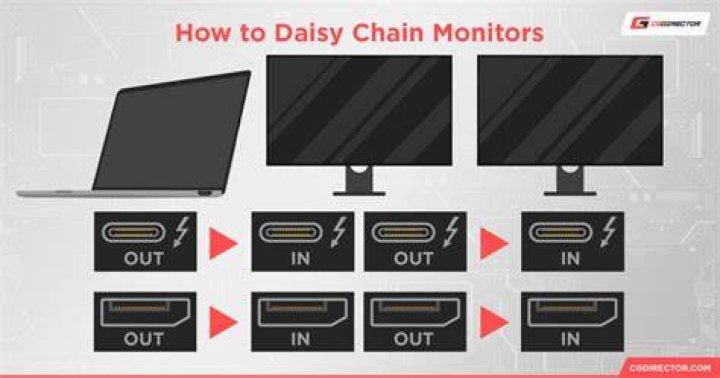

I'm running awesomewm on an Ubuntu laptop. I have two external monitors connected in DP daisy chain configuration, plugged into laptop's mini-dp port. xrandr detects both when they are plugged in. However, if I just plug in the mini-dp cable and run the xrandr command to switch off the laptop display and switch on the two monitors, the monitors do not switch on.
If I turn the monitors on and off a few times and then run the xrandr command, it works properly. I say "on and off a few times" because that's what I in fact do, although it's not clear what exactly I have to do to make them work.
I'm guessing this has something to do with hardware power management in the monitors, but not totally sure. This has never happened when I, for example, ran two monitors directly from laptop outputs using different outputs (for example, one from HDMI, one from DVI, or one from HDMI, one from mini-dvi-to-hdmi). If anyone knows what's going on here or how it can be fixed or more effectively hacked around, please let me know.
21 Answer
Found a reasonable hackaround. The following script does what I want, albeit in a kinda ugly way
alias xcmd='xrandr cmd to turn on monitors, turn off laptop' alias xcmd_inv='xrandr cmd to turn off monitors, turn on laptop' xcmd sleep 1 xcmd_inv sleep 1 xcmd sleep 1 xcmd_inv sleep 1 xcmd That's not the real script, but hopefully clear enough to anyone trying to deal with this.