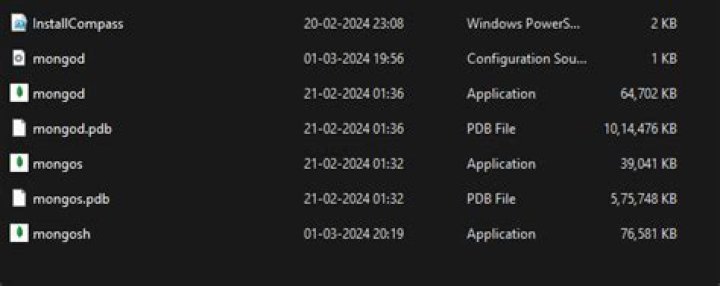

I've installed mongoDB on my windows 10 OS. Then I tried setting its database path to some directory by moving to it and typing mongod --datapath=data in cmd, where data is the folder which is to contain the db(I've used the relative path because I'm in that directory). But message comes that mongod is unrecognized command. After some searching I found that by specifying mongod path, i.e. "C:\Program Files\MongoDB\Server\3.4\bin\mongod.exe" --datapath=data works. Similar thing happens for mongo.
I want to directly run mongod and mongo commands, I have seen people directly using it(without going to the directory or specifying the path).
6 Answers
For a Windows installation, by default you have to use the full path to the exe unless you add it to the PATH.
To add it to the PATH:
01) Get path to bin, something like: C:\Program Files\MongoDB\Server\4.0\bin
02) Press the Windows key, type env, select Edit the system environment variables
03) On the Advanced tab, click Environment Variables
04) In the User variables for xxxx section, select path and then click the Edit... button
05) Click New and paste your path with a trailing slash, eg:
C:\Program Files\MongoDB\Server\4.0\bin\
06) Click OK, OK, OK and restart your command window.
Source
The examples you have seen are probably based on UNIX installations which I think by default install mongo as a service (which Windows doesn't) and that is what is called in those examples.
To simplify startup and configuration on Windows, you can also install it as a service. See the Mongo documentation here and the "Configure Windows Service for MongoDB' section".
This will then allow you to start and stop Mongo by simply calling
net start MongoDB Or
net stop MongoDB reference : Microsoft document
set your path like this
;C:\Program Files\MongoDB\Server\4.0\bin this is worked for me.
0To add it to the PATH:
Add Mongo’s bin folder to the Path Environment Variable Kindly check the link: here After adding bin folder to the path Environment Variable then simply type mongo in terminal it will start working
Based on welshGaz answer above, I edited the User Path variable but it did not work for me yet. I wasn't able to access the System Path variables.
What I noticed from the errors on the command prompt is that it what missing the "C:\data\db" directory to store its files (I don't know what those files are for just yet). So I created that directory myself and it worked.
Same problem here. I installed through the .msi file provided for windows X64bit. In the installer instructions from MongoDB (), I read that you can add C:\Program Files\MongoDB\Server\4.2\bin to the System Path. Then it asks to omit the full path to the the MongoDB binaries. That is where I think some information is missing. How are we supposed to omit the full path to the MongoDB binaries?
Currently I can get MongoDB to run mongod using:
"C:\Program Files\MongoDB\Server\4.2\bin\mongod.exe" --dbpath="c:\data\db"
For --dbpath="c:\data\db" you can replace "c:\data\db" with the path to your database.
I can also run mongo using:
"C:\Program Files\MongoDB\Server\4.2\bin\mongo.exe"
Another reason to it if you enabled any property in YAML file and it is not formatted properly. YAML looks for specific syntax like colon":"+space" ".
E.g.-
security: authorization: enabled 



