
With Macbook 2021 (arm64).
uname -a Darwin MacBook.local 21.1.0 Darwin Kernel Version 21.1.0: Wed Oct 13 17:33:01 PDT 2021; root:xnu-8019.41.5~1/RELEASE_ARM64_T6000 arm64 External drive, SSD2TB, is NTFS.
diskutil info disk4 Device Identifier: disk4 Device Node: /dev/disk4 Whole: Yes Part of Whole: disk4 Device / Media Name: External Volume Name: SSD2TB Mounted: Yes Mount Point: /Volumes/SSD2TB Content (IOContent): None File System Personality: NTFS Type (Bundle): ntfs Name (User Visible): Windows NT File System (NTFS) The simplest of tests, is to simply report a directory name for each cycle, e.g.
python3 Python 3.10.1 (main, Dec 31 2021, 10:22:35) [Clang 13.0.0 (clang-1300.0.29.30)] on darwin Type "help", "copyright", "credits" or "license" for more information. >>> import os, os.path >>> os.chdir("/Volumes/SSD2TB/Photos") >>> from glob import glob >>> glob('*') ['Pictures'] >>> for d,dd,f in os.walk('.'): print(f"{dd}") ... [] >>> os.path.isdir('Pictures') True >>> for d, dd, f in os.walk('.'): ... print(f"{f}") ... ['.DS_Store', 'Pictures'] >>> for d, dd, f in os.walk('.'): ... print(f"{d}") ... . Does anyone understand why the sub-directory in '.' is getting reported as a file in os.walk (by getting returned in the 'f' variable? And the 'dd' variable which should be the list of directories returns an empty list.
One final note. If I try the same test in a path on the local drive, then everything behaves as expected. Directories are reported in variable 'dd' and files in 'f'.
Using pathlib2's iterdir() with 'is_dir()' will generate a list of sub-dirs and files, e.g.
dd = [x for x in Path(".").iterdir() if x.is_dir()] f = [x for x in Path(".").iterdir() if x.is_file()] This works with the external ntfs drive, so os.walk is missing something with macos and the default mount of ntfs.
22 Answers
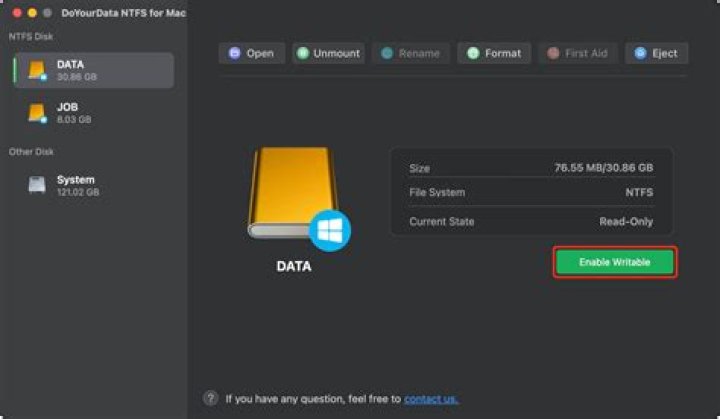
I've now installed a trial version of 'NTFS for MAC' by Paragon software, and after jumping through a few security hoops, my external ntfs drive is mounted (R/W).
for d, dd, f in os.walk("."): if re.match(r'.*?/\.@.*', d): continue print(f"{d}") Now returns (as originally expected), a tree of directories from '.'.
E.g.
. ./Pictures ./Pictures/1998 ./Pictures/1998/Barcelona ./Pictures/1998/Barcelona/.comments ./Pictures/2000 Installing ntfs-3g may also work but for my Macbook 2021 (arm64) with OS 'Monterey', the installation process is a bit more involved.
At least there is a solution. But after 10 days, it will be $19. Perhaps if I have an ongoing need to use NTFS drives this way it will be worth the cost vs struggling to install ntfs-3g.
So the real culprit lies with the way Apple have chosen to present a read only NTFS drive and the way Python (os.walk) handles it.
BTW... I suspect that the 'Strawberry' music player was also refusing to scan a music folder on the external NTFS drive for the same reasons. It would just return a blank library.
Not strictly an answer but an alternative solution. As I said in the original question, pathlib's Path.iterdir(), does function with the original Apple ntfs mount.
So building on that, here's an alternative to os.walk, that, (upto the recursion limit), does work as os.walk should.
import os, os.path, sys from pathlib2 import Path def pwalk(d): d = Path(d).resolve() dd = [ x for x in d.iterdir() if x.is_dir()] f = [ x for x in d.iterdir() if x.is_file()] yield (d, dd, f) for xd in dd: yield from pwalk( d / xd) So, using the same case above,
for d, dd, f in pwalk('.'): print(f"{d}") . ./Pictures ./Pictures/1998 ./Pictures/1998/Barcelona ./Pictures/1998/Barcelona/.comments ./Pictures/2000 



