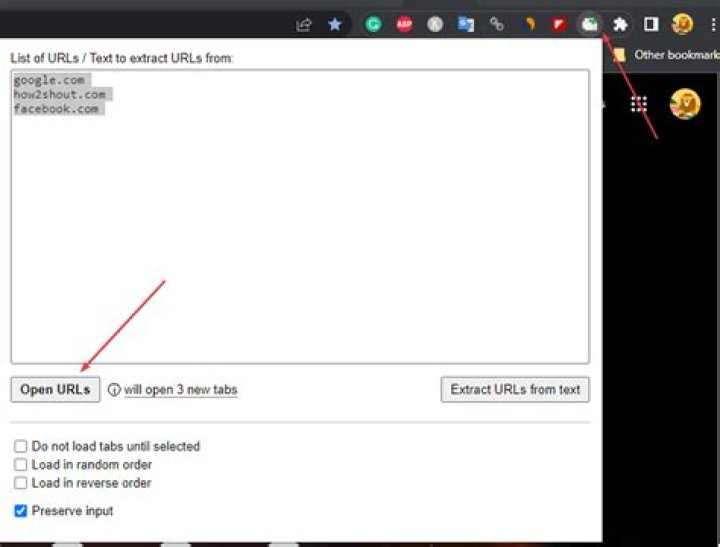

For example, a list with URLs separated by a comma or by a space. Instead of having to copy and paste each URL into a new tab, it would be great to be able to launch all the webpages at once. (In case it's helpful, I use Chrome as my browser.)
41 Answer
There is a chrome extension for this - Copy All Urls
Extension Description:
Copy tabs URL to clipboard (formats : text, HTML, JSON or custom). Paste to open multiple URL at one go.
WARNING:
Each URL should ideally be in its own line - using comma or space usually won't work as intended. However, it does have a feature called "Intelligent paste". I have not tested this feature.
Intelligent paste is supposed to "Extract URLs from raw text when using paste feature (instead of processing pasted text line by line, with 1 line = 1 url). The only pitfall using this feature is that it doesn't get "special urls" like ones beginning with file:/// or chrome://".
Also, I use Chromium on a Windows 10 machine, but it should technically work in Chrome on a Mac.
Tip 1:
You can also enable keyboard shortcut for this extension inside Chrome: chrome://extensions/shortcuts
I use Ctrl + Shift + C for Copy and Ctrl + Shift + V for Paste.
Tip 2:
Enable chrome://flags/#extensions-on-chrome-urls Flag - This will help you copy/paste from chrome tabs as well.
Tip 3:
This extension works well with another chrome extension: LinkClump
It lets you open, copy or bookmark multiple links at the same time.
I use the following options to open select multiple links in the extension -
- Opened as New Tabs: Activate by Right mouse button
- Copied to clipboard: copy
URLS & titles- Activate by Right mouse button and Shift key - Copied to clipboard: copy
URLS only- Activate by Right mouse button and Ctrl key - Copied to clipboard: copy
Titles only- Activate by Right mouse button and Alt key




