
I'm experiencing certain issues with the built-in OpenSSH client that, according to the Win32-OpenSSH Github page, seem resolved in newer versions. The newest version is v7.9 while the preinstalled client is in version 7.6p1.
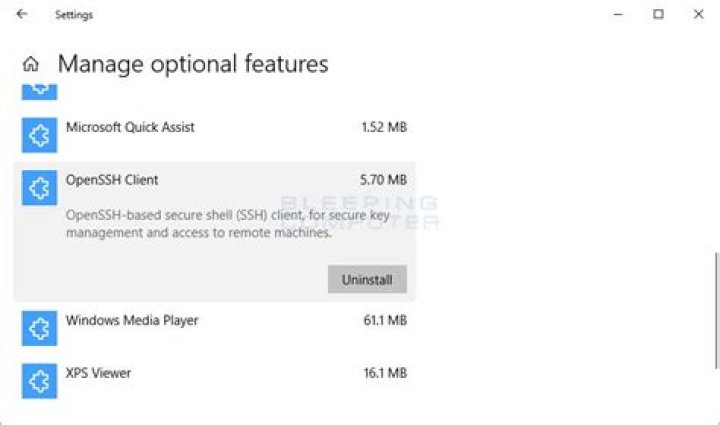
PS C:\> ssh -V OpenSSH_for_Windows_7.6p1, LibreSSL 2.6.4 I understand it's possible to install OpenSSH both as an optional feature in the "apps & features" settings page, or using Powershell. That seems futile in my situation as the client clearly already is installed.
PS C:\> Get-WindowsCapability -Online | ? Name -like 'OpenSSH*' Name : OpenSSH.Client~~~~0.0.1.0 State : Installed Name : OpenSSH.Server~~~~0.0.1.0 State : NotPresent Unfortunately, it doesn't seem possible to update the client this way and the Github page doesn't seem to publish binaries. Does this mean I have to make the binaries myself if I want to use newer versions, and would they even work as a replacement not being signed or anything? Is there maybe a simpler way?
14 Answers
This page gives the steps to follow using Powershell to install the latest packages.
[Net.ServicePointManager]::SecurityProtocol = [Net.SecurityProtocolType]::Tls12 $url = ' $request = [System.Net.WebRequest]::Create($url) $request.AllowAutoRedirect=$false $response=$request.GetResponse() $([String]$response.GetResponseHeader("Location")).Replace('tag','download') + '/OpenSSH-Win64.zip' $([String]$response.GetResponseHeader("Location")).Replace('tag','download') + '/OpenSSH-Win32.zip' If you use Chocolatey, then type the following in the command prompt as shown here:
choco upgrade openssh The answer to overwrite the files works:
Download the latest and update them in C:\Windows\System32.
However, this is easier said than done due to how Windows restricts permissions to modify/write files in System32. Running PowerShell as Administrator was not sufficient to modify files. I had to change ownership and add full control permissions to get it done as follows:
# Download upstream bins $url = ' $request = [System.Net.WebRequest]::Create($url) $request.AllowAutoRedirect=$false $response=$request.GetResponse() $source = $([String]$response.GetResponseHeader("Location")).Replace('tag','download') + '/OpenSSH-Win64.zip' (New-Object System.Net.WebClient).DownloadFile($source, 'OpenSSH-Win64.zip') # Overwrite windows installed bins $openSshBins = (Get-ChildItem 'C:\WINDOWS\System32\OpenSSH\').Name Expand-Archive -Path .\OpenSSH-Win64.zip -DestinationPath . takeown.exe /a /r /f C:\Windows\System32\OpenSSH\ icacls.exe 'C:\Windows\System32\OpenSSH' /grant 'BUILTIN\Administrators:(OI)(CI)F' icacls.exe 'C:\Windows\System32\OpenSSH' /grant 'BUILTIN\Administrators:F' /t Stop-Service ssh-agent $openSshBins | %{ Copy-Item -Path .\OpenSSH-Win64\$_ -Destination C:\Windows\System32\OpenSSH\ } Start-Service ssh-agent Note, to auotmate the download, you need to permit redirects.
5The binaries are now on GitHub. Download the latest and update them in C:\Windows\System32.
0- Remove the default version of OpenSSH:
Remove-WindowsCapability -Online -Name OpenSSH.Client~~~~0.0.1.0 Install the recent version from GitHub (see Install Win32 OpenSSH Using MSI).
Add it to path:
[Environment]::SetEnvironmentVariable("Path", $env:Path + ';' + ${Env:ProgramFiles} + '\OpenSSH', [System.EnvironmentVariableTarget]::Machine) 



