
Is it possible to change the size of the subtitle text (SRT) automatically? If the text is too long the font size becomes smaller to be able to show the whole text on the screen.
In my case, the SRT file contains only one text and I want to burn it into the intro video as a title or information given about the video. Sometimes the title is a long text that goes out of the video's screen size. I wonder if there are any approaches to show a long text within the video's screen size automatically?
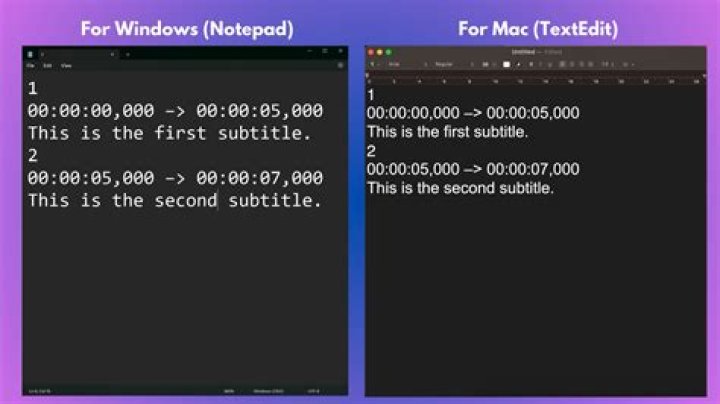
This is an example of such SRT file's content that I want to burn on the intro video.
1 00:00:00,000 --> 00:00:03,000 TITLE Information about the video goes here and sometimes it is too long and goes out of the video's screen size while using a big font sizes like 40 or 50. 4 Answers
It is possible to set font size in side of srt file, you can do it just like this
<font size="30px">Font size 30px</font> No, it's not possible. SRT files carry no styling information related to fond size; it's up to the player to decide the size when displaying the subtitles.
You could (or should) make sure that the subtitles do not exceed a certain length by using a subtitle editor. This also improves accessibility for your subtitles.
Another alternative would be to use subtitles that support styling like SSA/ASS subtitles. You need proper container support though if you want to play them as soft subtitles (e.g. MKV), and your player also needs to support it (see e.g. supported subtitle formats in VLC). You could also burn them into the video if you need compatibility with other formats.
Aegisub is a subtitle editor with lots of features.
I try to use this style, and it works for me to force the player to display the font size I want:
<font size="20px"> "the subtitle text you want to size it" </font> it is for .SRT file
Well, technically .srt is just a .txt file formatted as .srt (pretty much like HTML files). An interestingly enough they happen to support HTML tags and therefore CSS styles. HOWEVER just like HTML they don't work the same on different video players. It works on KMPlayer. VLC actually didn't display the subtitle. And on PotPlayer it could work if you go to subtitle settings and under "Ignore HTML tags" uncheck 'Absolute Sizes' (Those like px, cm, inch, ...). However, this is not really reliable and if you want to make something colorful and have text move all around the screen you will be better off using .ASS or .SSA file format. Much more versatile.




