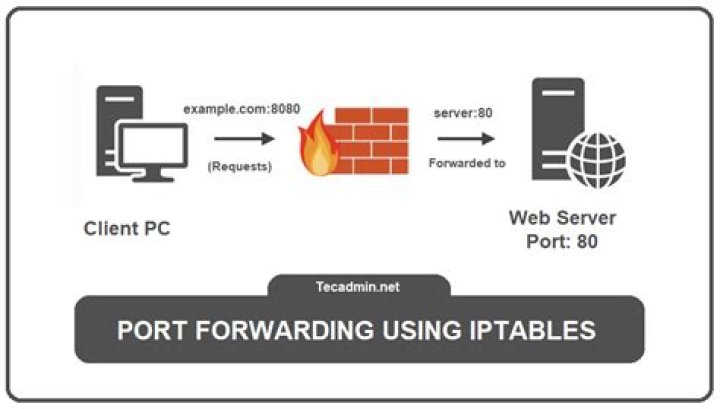

I am trying to configure iptables on my Ubuntu 12.04 LTS server to forward port 443 to 8443.
But when I run this command:
sudo iptables -A PREROUTING -p tcp --dport 443 -j REDIRECT --to-ports 8443 I get the following error:
iptables: No chain/target/match by that name. My iptables current configuration:
$ sudo iptables -L Chain INPUT (policy ACCEPT) target prot opt source destination ACCEPT tcp -- anywhere anywhere tcp dpt:https DROP tcp -- anywhere anywhere tcp dpt:http Chain FORWARD (policy ACCEPT) target prot opt source destination Chain OUTPUT (policy ACCEPT) target prot opt source destination What am I missing or doing wrong?
4 Answers
Because PREROUTING chain belongs to the NAT table, not the FILTER table. If you do not mention any table explicitly by -t option, then FILTER is assumed.
So, you need to mention the table type with -t nat:
sudo iptables -t nat -A PREROUTING -p tcp --dport 443 -j REDIRECT --to-ports 8443 Note that, MANGLE and RAW tables also have PREROUTING chain but as you are redirecting ports only, you are presumably looking for the NAT table.
PREROUTING chain only available for nat, mangle and raw tables.
iptables assumes filter table, so you must specify one of these, eg. iptables -t nat ...
I get similar error when I run a docker command
docker run -d -p 8084:8080 knockdata/zeppelin-highcharts d9c5d34f500d621585470b0e70b915395fcb6b3437859e0f610dbb58d51faf25 docker: Error response from daemon: driver failed programming external connectivity on endpoint elegant_jang (7ca0f5ad689f5443ce7533f66b4a86c34d2dbd9d076bac4812288dd3f6a76698): iptables failed: iptables --wait -t nat -A DOCKER -p tcp -d 0/0 --dport 8084 -j DNAT --to-destination 172.17.0.2:8080 ! -i docker0: iptables: No chain/target/match by that name. (exit status 1). I was able to fix it by reinstall docker-engine
apt-get remove docker-engine apt-get install docker-engine You can install (Config Server Security & Firewall) and use the following settings.
nano /etc/csf/csf.conf SYNFLOOD = "" => SYNFLOOD = "1" CONNLIMIT = "" => CONNLIMIT = "80;75,443;75,21;50” PORTFLOOD = "" => PORTFLOOD = "80;tcp;5;250" SYSLOG = “0” => SYSLOG = "1" DOCKER = “0” => DOCKER = "1" nano /etc/csf/csfpost.sh #!/bin/sh echo "[DOCKER] Setting up FW rules." iptables -N DOCKER iptables -t nat -N DOCKER iptables -t nat -A PREROUTING -m addrtype --dst-type LOCAL -j DOCKER iptables -t nat -A OUTPUT ! -d 127.0.0.0/8 -m addrtype --dst-type LOCAL -j DOCKER # Masquerade outbound connections from containers iptables -t nat -A POSTROUTING -s 172.17.0.0/16 ! -o docker0 -j MASQUERADE # Accept established connections to the docker containers iptables -t filter -N DOCKER iptables -t filter -A FORWARD -o docker0 -j DOCKER iptables -t filter -A FORWARD -o docker0 -m conntrack --ctstate RELATED,ESTABLISHED -j ACCEPT # Allow docker containers to communicate with themselves & outside world iptables -t filter -A FORWARD -i docker0 ! -o docker0 -j ACCEPT iptables -t filter -A FORWARD -i docker0 -o docker0 -j ACCEPT echo "[DOCKER] Done." Note: This config also prevents you from basic DDOS attack.




