
I have an ASUS RT-AC88U wireless router that provides DHCP services to all of my wired and wireless devices. It is dual-band and broadcasts at 5GHz and 2.4 GHz. I have a total of 17 devices connected to the Wifi router; 5 of them are on the 2.4GHz signal, others are either wired or 5GHz.
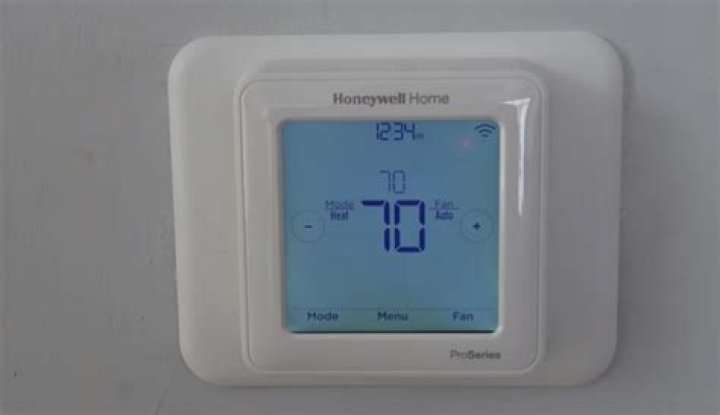
I have a Honeywell Vision Pro 8000 (TH8321WF) thermostat that can be connected to WiFi via the 2.4GHz signal. Thermostat Manual
I had two of these Honeywell thermostats successfully connected to my WiFi network for a few days. Later they became disconnected and I have been unable to re-connect them to the network. I've even received two new thermostats thinking that they may have been affected by an electrical short.
Each time I try to reconnect the thermostats, I end up getting an error message thats says, "Connection Failed The thermostat was unable to obtain an IP address from your network. Make sure that your network is configured to assign an IP address to this thermostat"
I've tried the following:
verified that the thermostat can connect to my cell phone's hotspot when the hotspot is active. (so the thermostat Wifi antenna works)
powering the thermostats down and back up.
rebooting my WiFi router.
updating my Wifi router firmware.
reset my Wifi router to factory settings
contacted Honeywell customer service; they sent a silly router configuration guide that made very little sense.
disabled the router firewall; still no luck, re-enabled
reviewed the router general and system logs to see if I could detect if DHCP was attempting to issue an IP address to the thermostat; I could not see any logs that suggested I could view ANY IP addresses being issued to any of my devices, but I could see current (successfully issued) IP addresses and when the lease would expire.
verified that the wifi signal near the thermostats is strong
My WiFi network is running both 2.4GHz and 5.GHz and WPA2 encryption - specifically, WPA2-Personal with AES encryption. The password to my firewall is 15 characters long with no special characters - only alpha-numeric.
Can someone provide me with some troubleshooting suggestions?
Are there other troubleshooting things I could be trying or observing?
Another forum suggested that I set up Wireshark, but I'd like to see if there is something else I could do before going to that level. Thanks
42 Answers
So after a couple of months of trying various things, here's what finally worked... I simply had to change my 2.4GHz WiFi password from being all alphanumeric UPPERCASE characters to all alphanumeric lowercase characters. The number of characters was the same (which, for some hardware devices, tells the hardware device what security protocol to use: WEP vs WPA2 for example). I hope this helps someone else.
I've been adding wifi controlled light switches and plugs throughout my house. I found that, for whatever the reason is, there seems to be a few devices that don't like punctuation marks in passwords. I have 3 SSIDs at home (1 for kids...shuts off at 8pm, 1 for adults and streaming devices and 1 for these home-control/security/IOT devices that are a pain to configure and I don't want to re-program them all just because I decide to change a ssid's password.
I found things like this dogchew1 will work dogchew! won't dogchew1! won't
Some devices seem to just refuse to connect. Other's seem to connect after a few tries but then get flaky stability. This is all going through a pretty fancy meraki AP that lets me limit access to legacy wifi (802.11b,g,etc) devices but on this SSID it's wide open to play ball with anyone a the expense of high-end performance which none of these devices should really need.




