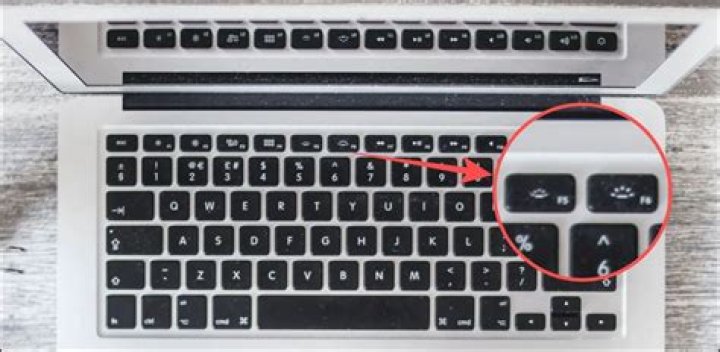

The mic indicator light is burning without a reason. It suddenly started after I restarted my computer. How can I turn it off again?
- Laptop: HP probook 650
- Ubuntu version: Ubuntu 15.10
- Desktop environement: Gnome 3.x
OUPUT:ls -l /sys/class/led
lrwxrwxrwx 1 root root 0 Mar 7 16:36 hp::hddprotect -> ../../devices/virtual/leds/hp::hddprotect lrwxrwxrwx 1 root root 0 Mar 7 16:36 input3::capslock -> ../../devices/platform/i8042/serio0/input/input3/input3::capslock lrwxrwxrwx 1 root root 0 Mar 7 16:36 input3::numlock -> ../../devices/platform/i8042/serio0/input/input3/input3::numlock lrwxrwxrwx 1 root root 0 Mar 7 16:36 input3::scrolllock -> ../../devices/platform/i8042/serio0/input/input3/input3::scrolllock lrwxrwxrwx 1 root root 0 Mar 7 16:36 phy0-led -> ../../devices/pci0000:00/0000:00:1c.6/0000:03:00.0/leds/phy0-led NOTE: I tried turning each of these devices off with the command: echo 0 > brightness in the respective folders. None of them turned out to be the burning led on my keyboard.