I've recently upgraded to Outlook 2013 (it's been a bit underwhelming), and it looks like somehow my AutoArchive setting was turned off. No problem, I turned it back on with File | Options | Advanced | AutoArchive Settings... | Run AutoArchive every X days. However, I'd like to go ahead and run it right now. That used to be possible with the Tools | Options menu in 2007, but I can't find it in 2013. Am I blind?
04 Answers
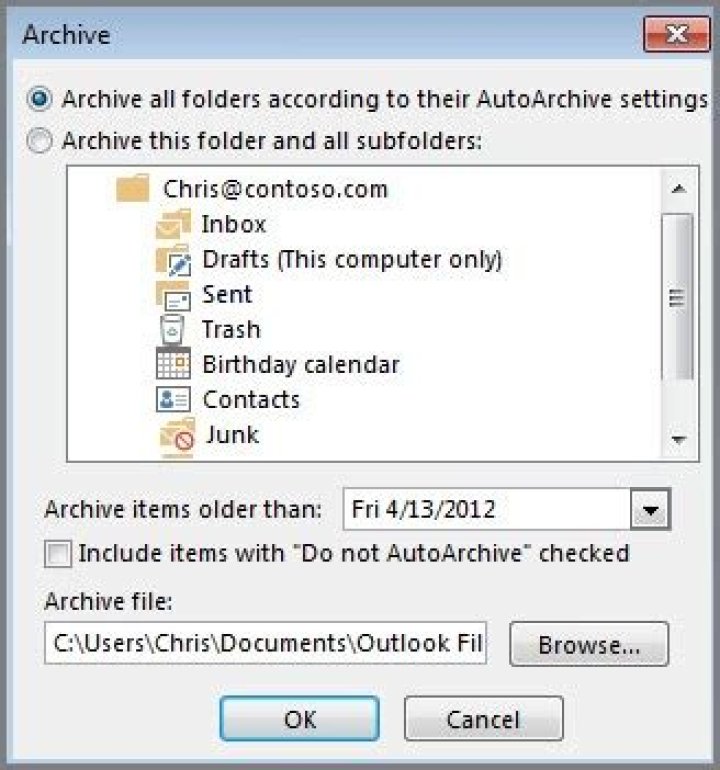
Is the manual archive option what you're looking for? If so, it's available from File / Info / Cleanup Tools / Archive:


I'm sure you already found the answer to this.
But for others that may be looking.
FILE -> MAILBOX CLEANUP -> MAILBOX CLEANUP -> AUTO ARCHIVE
This will start the process immediately.
2Go to File > Cleanup Tools > Archive. Check settings and click the OK button. This worked immediately for me in Outlook 2013.
I first configured the default archive settings in Options > advanced > Auto Archive Settings. But you can do that from the above path too. You can also right click on the account inbox and select Properties and there will be a Auto Archive tab.
To trigger already set up AutoArchive in Outlook 2013, go to "File" -> "Mailbox Cleanup" -> "Mailbox Cleanup..." -> "AutoArchive"
1



