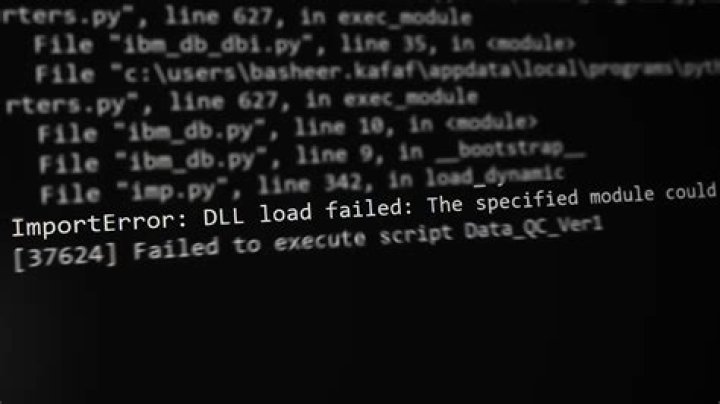

I have installed Python 2.5.4, Numpy 1.5.0 win32, Matplotlib 1.0.0 win32, pywin32 218. Still not able to plot graphs in Python. Here is the error I am getting :
import pylab File "C:\Python25\lib\site-packages\pylab.py", line 1, in <module> from matplotlib.pylab import * File "C:\Python25\lib\site-packages\matplotlib\pylab.py", line 216, in <module> from matplotlib import mpl # pulls in most modules File "C:\Python25\lib\site-packages\matplotlib\mpl.py", line 1, in <module> from matplotlib import artist File "C:\Python25\lib\site-packages\matplotlib\artist.py", line 6, in <module> from transforms import Bbox, IdentityTransform, TransformedBbox, TransformedPath File "C:\Python25\lib\site-packages\matplotlib\transforms.py", line 34, in <module> from matplotlib._path import affine_transform ImportError: DLL load failed: The specified module could not be found. Please kindly help..
411 Answers
(I found this answer from a video: )
Download
msvcp71.dllandmsvcr71.dllfrom the web.Save them to your
C:\Windows\System32folder.Save them to your
C:\Windows\SysWOW64folder as well (if you have a 64-bit operating system).
Now try running your code file in Python and it will load the graph in couple of seconds.
5I had the same issue with importing matplotlib.pylab with Python 3.5.1 on Win 64. Installing the Visual C++ Redistributable für Visual Studio 2015 from this links: fixed the missing DLLs.
I find it better and easier than downloading and pasting DLLs.
1For Windows 10 x64 and Python:
Open a Visual Studio x64 command prompt, and use dumpbin:
dumpbin /dependents [Python Module DLL or PYD file] If you do not have Visual Studio installed, it is possible to download dumpbin elsewhere, or use another utility such as Dependency Walker.
Note that all other answers (to date) are simply random stabs in the dark, whereas this method is closer to a sniper rifle with night vision.
Case study 1
I switched on Address Sanitizer for a Python module that I wrote using C++ using MSVC and CMake.
It was giving this error:
ImportError: DLL load failed: The specified module could not be foundOpened a Visual Studio x64 command prompt.
Under Windows, a
.pydfile is a.dllfile in disguise, so we want to run dumpbin on this file.cd MyLibrary\build\lib.win-amd64-3.7\Debugdumpbin /dependents MyLibrary.cp37-win_amd64.pydwhich prints this:Microsoft (R) COFF/PE Dumper Version 14.27.29112.0 Copyright (C) Microsoft Corporation. All rights reserved. Dump of file MyLibrary.cp37-win_amd64.pyd File Type: DLL Image has the following dependencies: clang_rt.asan_dbg_dynamic-x86_64.dll gtestd.dll tbb_debug.dll python37.dll KERNEL32.dll MSVCP140D.dll VCOMP140D.DLL VCRUNTIME140D.dll VCRUNTIME140_1D.dll ucrtbased.dll Summary 1000 .00cfg D6000 .data 7000 .idata 46000 .pdata 341000 .rdata 23000 .reloc 1000 .rsrc 856000 .textSearched for
clang_rt.asan_dbg_dynamic-x86_64.dll, copied it into the same directory, problem solved.Alternatively, could update the environment variable PATH to point to the directory with the missing .dll.
Please feel free to add your own case studies here! I've made it a community wiki answer.
4Installing the Microsoft Visual C++ Redistributable for Visual Studio 2015, 2017 and 2019 worked for me with a similar problem, and helped with another (slightly different) driver issue.
Quick note: Check if you have other Python versions, if you have removed them, make sure you did that right. If you have Miniconda on your system then Python will not be removed easily.
What worked for me: removed other Python versions and the Miniconda, reinstalled Python and the matplotlib library and everything worked great.
I installed vc++ which solved this problem.
Reinstall the related packages.
I have the same issue with numpy. I first uninstalled it:
pip uninstall numpy and then installed again
pip install numpy==1.20.1 I needed that specific version. If you want to install other numpy versions, you may ignore ==1.20.1.
Also, during the installation, I received errors such as
statsmodels 0.12.2 requires patsy>=0.5, which is not installed.
I installed those missing prerequisites as well. e.g.,
pip install patsy I just uninstalled my current numpy and installed a wheel numpy from this link.
This has solved my issue. I guess we shoudn't use dll from random source.
This might be issue of missing Microsoft Visual C++ Redistributable packages for Visual Studio 2015, 2017, 2019, and 2022 in your machine. Use the following link to download the distributable and install it in your machine.
For more: Microsoft Visual C++ Redistributable Latest Supported Downloads
I've been through this error and what I found after a lot of investigation:-
issue was in Opencv==4.5.1 build from source with cuda and flag cuda_with_fast_math=on
I just rebuild OpenCV and disable
cuda_with_fast_math make sure that the shared library builded with cv version matched your current version
and it works for me.
Since Python 3.8, it is possible that Dependencies or dumpbin /dependents reports no dependency issue, but one still gets the error "The specified module could not be found". This is because the PATH variable is no longer used for resolving DLLs of binary modules!
The solution is to use os.add_dll_directory:
import os os.add_dll_directory(r"C:\path\to\your\dll\directory") import your_module 



