
I have more than 500 contacts which I put in a CSV file and imported into Outlook 2013.
Now in Outlook, I am able to see them but my problem is that I need to manually create a group and add them one by one to it.
Is it possible to directly import these contacts to Outlook in a one group?
21 Answer
You should be able to copy and paste into a Contact Group.
- Highlight and copy the names and emails in Excel.
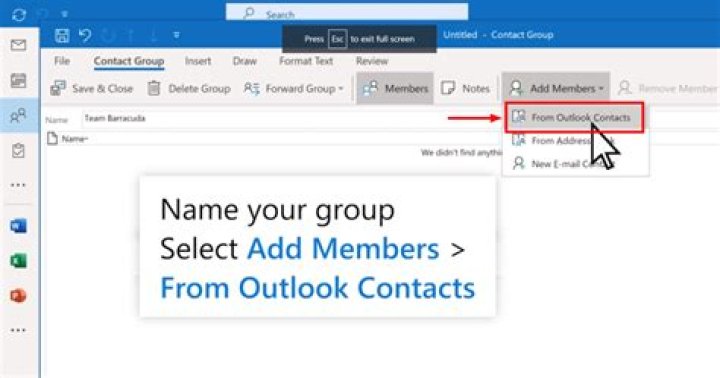
- Create your new Contact Group.
- Open the Add New Members dialog.
- Instead of selecting members to add, place the cursor in the text field and press Ctrl + V.
- Click OK.
- Name your Contact Group and save.
Now you should have a Contact Group with those contacts in it.
1



