
Dears,
I've installed Ubuntu LXDE per instruction onto armhf device (NXP i.MX6QP).
I have an "ubuntu image" for armhf 16.04 LTS Xenial:
I got that booting on NXP i.MX6QP device of NXP Sabre AI board and can start with "stratx" LXDE Ubuntu GUI. But still some issues get that working properly:
Here is "boot log":
Welcome to Ubuntu 16.04.1 LTS! systemd[1]: Set hostname to <lubuntu>. usb 1-1.2: new low-speed USB device number 3 using ci_hdrc input: DELL DELL USB Laser Mouse as /devices/soc0/soc/2100000.aips-bus/ hid-generic 0003:046D:C063.0001: input: USB HID v1.10 Mouse [DELL DELL USB Laser Mouse] on usb-ci_hdrc.0-1.2/input0 usb 1-1.3: new low-speed USB device number 4 using ci_hdrc systemd[1]: Created slice System Slice. [ OK ] Created slice System Slice. systemd[1]: Reached target Slices. [ OK ] Reached target Slices. systemd[1]: Listening on fsck to fsckd communication Socket. [ OK ] Listening on fsck to fsckd communication Socket. systemd[1]: Reached target Encrypted Volumes. input: Dell Dell QuietKey Keyboard as /devices/soc0/soc/2100000.aips-bus/ [ OK ] Reached target Encrypted Volumes. systemd[1]: Listening on udev Kernel Socket. [ OK ] Listening on udev Kernel Socket. hid-generic 0003:413C:2106.0002: input: USB HID v1.10 Keyboard [Dell Dell QuietKey Keyboard] on usb-ci_hdrc.0-1.3/input0 systemd[1]: Listening on /dev/initctl Compatibility Named Pipe. [ OK ] Listening on /dev/initctl Compatibility Named Pipe. systemd[1]: Created slice system-systemd\x2dfsck.slice. [ OK ] Created slice system-systemd\x2dfsck.slice. systemd[1]: Listening on udev Control Socket. [ OK ] Listening on udev Control Socket. systemd[1]: Listening on Journal Socket. [ OK ] Listening on Journal Socket. systemd[1]: Starting Load Kernel Modules... Starting Load Kernel Modules... systemd[1]: Started Read required files in advance. [ OK ] Started Read required files in advance. systemd[1]: Starting Restore / save the current clock... Starting Restore / save the current clock... systemd[1]: Starting Create list of required static device nodes for the current kernel... Starting Create list of required st... nodes for the current kernel... systemd[1]: Starting Nameserver information manager... Starting Nameserver information manager... systemd[1]: Starting Set console keymap... Starting Set console keymap... systemd[1]: Set up automount Arbitrary Executable File Formats File System Automount Point. [ OK ] Set up automount Arbitrary Executab...ats File System Automount Point. systemd[1]: Listening on Journal Socket (/dev/log). [ OK ] Listening on Journal Socket (/dev/log). systemd[1]: Starting Journal Service... Starting Journal Service... systemd[1]: Mounting Debug File System... Mounting Debug File System... systemd[1]: Reached target Swap. [ OK ] Reached target Swap. systemd[1]: Mounted Debug File System. [ OK ] Mounted Debug File System. systemd[1]: systemd-modules-load.service: Main process exited, code=exited, status=1/FAILURE systemd[1]: Failed to start Load Kernel Modules. [FAILED] Failed to start Load Kernel Modules. See 'systemctl status systemd-modules-load.service' for details. systemd[1]: systemd-modules-load.service: Unit entered failed state. systemd[1]: systemd-modules-load.service: Failed with result 'exit-code'. systemd[1]: ureadahead.service: Main process exited, code=exited, status=5/NOTINSTALLED systemd[1]: ureadahead.service: Unit entered failed state. systemd[1]: ureadahead.service: Failed with result 'exit-code'. systemd[1]: Started Restore / save the current clock. [ OK ] Started Restore / save the current clock. systemd[1]: Started Create list of required static device nodes for the current kernel. [ OK ] Started Create list of required sta...ce nodes for the current kernel. systemd[1]: Started Set console keymap. [ OK ] Started Set console keymap. systemd[1]: Started Nameserver information manager. [ OK ] Started Nameserver information manager. systemd[1]: Started Journal Service. [ OK ] Started Journal Service. Starting Create Static Device Nodes in /dev... Starting Apply Kernel Variables... Mounting FUSE Control File System... [ OK ] Mounted FUSE Control File System. [ OK ] Started Create Static Device Nodes in /dev. [ OK ] Started Apply Kernel Variables. Starting udev Kernel Device Manager... [ OK ] Started udev Kernel Device Manager. Starting Remount Root and Kernel File Systems... [ OK ] Started Remount Root and Kernel File Systems. Starting Flush Journal to Persistent Storage... Starting Load/Save Random Seed... Starting udev Coldplug all Devices... [ OK ] Reached target Local File Systems (Pre). [ OK ] Started Load/Save Random Seed. [ OK ] Started Flush Journal to Persistent Storage. [ OK ] Started udev Coldplug all Devices. [ OK ] Started Dispatch Password Requests to Console Directory Watch. DBG sensor data is at 7f010188 [ TIME ] Timed out waiting for device dev-mmcblk0p1.device. [DEPEND] Dependency failed for /boot. [DEPEND] Dependency failed for Local File Systems. [DEPEND] Dependency failed for File System Check on /dev/mmcblk0p1. Starting Set console font and keymap... [ OK ] Stopped Trigger resolvconf update for networkd DNS. [ OK ] Stopped Network Manager. [ OK ] Stopped Daily apt activities. [ OK ] Closed Avahi mDNS/DNS-SD Stack Activation Socket. [ OK ] Closed CUPS Scheduler. [ OK ] Stopped target OEM Configuration. [ OK ] Stopped End-user configuration after initial OEM installation. [ OK ] Started Stop ureadahead data collection 45s after completed startup. [ OK ] Closed D-Bus System Message Bus Socket. [ OK ] Stopped Daily Cleanup of Temporary Directories. [ OK ] Reached target Timers. [ OK ] Stopped Permit User Sessions. Starting Set console scheme... [ OK ] Stopped getty on tty2-tty6 if dbus and logind are not available. [ OK ] Closed Socket activation for snappy daemon. [ OK ] Stopped Save/Restore Sound Card State. [ OK ] Closed Unix socket for apport crash forwarding. [ OK ] Stopped Manage Sound Card State (restore and store). [ OK ] Stopped target Basic System. [ OK ] Reached target Paths. [ OK ] Closed UUID daemon activation socket. [ OK ] Stopped target System Initialization. [ OK ] Started Emergency Shell. [ OK ] Reached target Emergency Mode. Starting Tell Plymouth To Write Out Runtime Data... Starting LSB: AppArmor initialization... Starting Create Volatile Files and Directories... [ OK ] Reached target Sockets. [ OK ] Started Set console font and keymap. [ OK ] Started Set console scheme. [ OK ] Started Tell Plymouth To Write Out Runtime Data. [ OK ] Started Create Volatile Files and Directories. [ OK ] Started LSB: AppArmor initialization. [ OK ] Started ifup for eth0. [ OK ] Reached target Network. Starting Update UTMP about System Boot/Shutdown... [ OK ] Reached target System Time Synchronized. [ OK ] Started Update UTMP about System Boot/Shutdown. Welcome to emergency mode! After Give root password for maintenance (or press Control-D to continue): sulogin: failed to execute /bin/bash : No such file or directory # # startx X.Org X Server 1.18.4 Release Date: 2016-07-19 X Protocol Version 11, Revision 0 Build Operating System: Linux 4.2.0-42-generic armv7l Ubuntu Current Operating System: Linux lubuntu 4.1.15 #1 SMP PREEMPT Tue Nov 15 12:24:15 CET 2016 armv7l Kernel command line: console=ttymxc3,115200 root=/dev/mmcblk2p2 rootwait rw video=mxcfb0:dev=hdmi,1920x1080M@60,if=RGB24 Build Date: 14 September 2016 03:34:19PM xorg-server 2:1.18.4-0ubuntu0.1 (For technical support please see ) Current version of pixman: 0.33.6 Before reporting problems, check to make sure that you have the latest version. Markers: (--) probed, (**) from config file, (==) default setting, (++) from command line, (!!) notice, (II) informational, (WW) warning, (EE) error, (NI) not implemented, (??) unknown. (==) Log file: "/var/log/Xorg.0.log", Time: Thu Apr 21 10:42:14 2016 (==) Using system config directory "/usr/share/X11/xorg.conf.d" modprobe: FATAL: Module g2d_23 not found in directory /lib/modules/4.1.15 1 issue
systemd[1]: Failed to start Load Kernel Modules. [FAILED] Failed to start Load Kernel Modules. See 'systemctl status systemd-modules-load.service' for details. systemd[1]: systemd-modules-load.service: Unit entered failed state. systemd[1]: systemd-modules-load.service: Failed with result 'exit-code'. systemd[1]: ureadahead.service: Main process exited, code=exited, status=5/NOTINSTALLED systemd[1]: ureadahead.service: Unit entered failed state. systemd[1]: ureadahead.service: Failed with result 'exit-code'. 2 issue
[ TIME ] Timed out waiting for device dev-mmcblk0p1.device. [DEPEND] Dependency failed for /boot. [DEPEND] Dependency failed for Local File Systems. [DEPEND] Dependency failed for File System Check on /dev/mmcblk0p1. 3 issue
Welcome to emergency mode! After Give root password for maintenance (or press Control-D to continue): sulogin: failed to execute /bin/bash : No such file or directory 4 issue
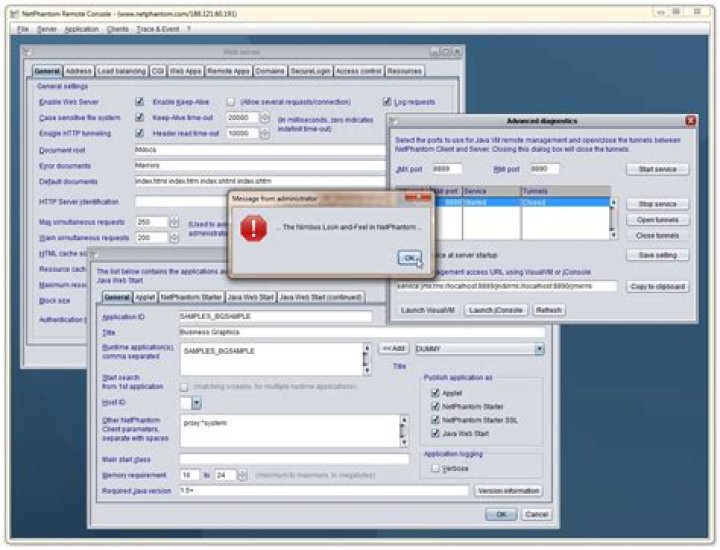
modprobe: FATAL: Module g2d_23 not found in directory /lib/modules/4.1.15 After this the dialog windows occurs
5 issue
Error: No session for pid <689>
If you can advice me to correct it. Thank you very much!
11 Answer
Ubuntu 16.04 releases can be found on this page
For ARM hardware for which we do not ship preinstalled images, see ARM/Server/Install for detailed installation information.
Sources for review:
3