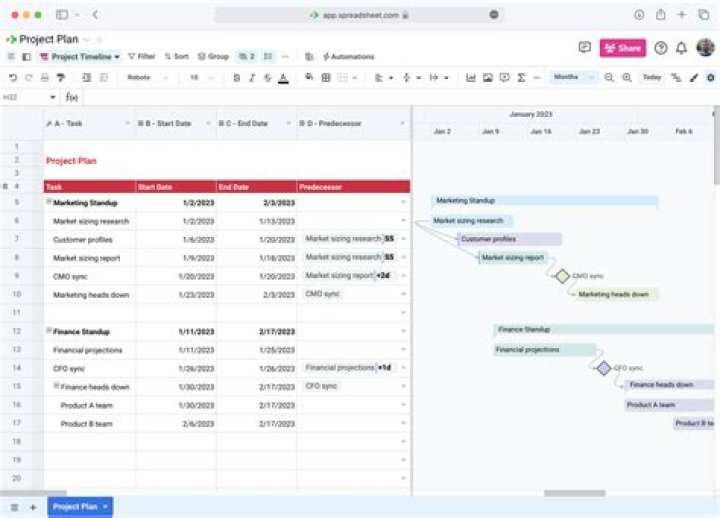

I am currently setting up a GAANT chart to determine the runtime and dependencies of a huge project.
There are a little over 600 tasks. They are dependent on each other, but unfortunately not in a linear and clustered way.
I can colourise the predecessors and successors of one task. But, because there are other tasks in between, I need to scroll a lot to get to the next connected task.
I want to write a filter in VBA, so that it will show me ONLY the connected Predecessors and Successors of the selected task.
So far I do not even know how to write a simple filter, because the online documentation is very poor, when it comes to filters.
Applying a normal filter does not work, because it will give me only the direct predecessors and successors.
I expect the predecessors of the predecessor, and so on.
I hope someone can help me.
2 Answers
I found a solution with the help of google. It is a bit of a workaround.
My code flags all the predecessors with a simple "Yes" in the Projects Field "Text10" (you can use any other Text field), and then I filter all the tasks with the "Yes".
Dim ProjTasks As Tasks Dim ProjTasks2 As Task Dim ProjTasks3 As Tasks Dim ProjTask As Task Dim ProjTask2 As Task Dim ProjTask3 As Task Dim Deadline As String Set ProjTasks = ActiveProject.Tasks Set ProjTasks2 = ActiveProject.Tasks Set ProjTasks3 = ActiveProject.Tasks So here comes the main part of my code:
For Each ProjTask In ProjTasks If ProjTask.Start < (DateValue(Deadline) + TimeValue(Deadline)) Then For Each ProjTask2 In ProjTasks2 If ProjTask2.Start < (DateValue(Deadline) + TimeValue(Deadline)) Then If Not (ProjTask2 Is Nothing) Then If ProjTask2.Text10 = "YES" Then PredArray() = Split(ProjTask2.Predecessors, ";") For Each i In PredArray() For Each ProjTask3 In ProjTasks3 If ProjTask3.Start < (DateValue(Deadline) + TimeValue(Deadline)) Then If ProjTask3.ID = i Then ProjTask3.Text10 = "YES" End If End If Next ProjTask3 Next i End If End If End If Next ProjTask2 End If Next ProjTask Because it contains 3 for-loops I tried to minimise the number of tasks, that are looped over.
Because I can see when my target task ends (Deadline), I do not loop over tasks which have a beginning time after the end time of my target task.
Be careful, that code takes some time to run through. After the code ran through, you can go to column "Text10" and filter the "Yes".
1Starting with MS Project 2013, there is a feature that highlights Predecessors and Successors of the active task (see end for details).
However, to hide all tasks not linked to a particular task requires code. Fortunately the PredecessorTasks and SuccessorTasks collection objects make easy work of this.
This code finds all tasks linked to the target task (active task in this case) and sets a flag (Text10='Yes') so that non-linked tasks can be filtered out. The code only touches tasks linked to the target task, and only touches them one time each so it runs very quickly.
The code can be easily modified to use a different target task and to add criteria such as to skip over completed tasks.
Sub FlagTasksLinkedtoTargetTask() Dim tsk As Task For Each tsk In ActiveProject.Tasks tsk.Text10 = vbNullString Next tsk Dim TargetTask As Task Set TargetTask = Application.ActiveCell.Task FlagPredecessors TargetTask FlagSuccessors TargetTask End Sub Sub FlagPredecessors(tsk As Task) Dim pred As Task For Each pred In tsk.PredecessorTasks If pred.Text10 <> "Yes" Then pred.Text10 = "Yes" FlagPredecessors pred End If Next pred End Sub Sub FlagSuccessors(tsk As Task) Dim succ As Task For Each succ In tsk.SuccessorTasks If succ.Text10 <> "Yes" Then succ.Text10 = "Yes" FlagSuccessors succ End If Next succ End Sub FYI: The highlighting feature is found under Task Path on the Format tab (when viewing a Gantt Chart view). You can select to highlight Predecessors, Driving Predecessors (only the ones that currently are affecting the date), Successors, and/or Driven Successors. Here's the documentation.
2