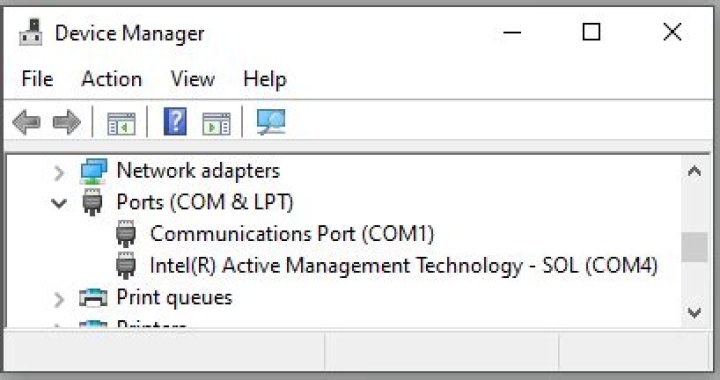

How would I go about viewing a list of COM ports in use without the use of Device Manager?
I don't want to install any software either. Is there a possible way to do this through the command line?
57 Answers
In the command prompt use
mode
Used without parameters, mode displays all the controllable attributes of the CON (console) and the available COM devices (and LPT as well).
Accepts /? switch for basic help:
mode /?
I know the question has been answered, but this is another method.
In command prompt, use:
chgport
in windows Vista and up. Lists your ports and which device they are.
In the command prompt use:
C:\>wmic path Win32_SerialPort OR
In PowerShell:
PS> Get-WMIObject Win32_SerialPort OR
PS> Get-WMIObject Win32_SerialPort | Select-Object Name,DeviceID,Description Hope this helps.
5You can also run the following from cmd.exe prompt
reg query HKLM\HARDWARE\DEVICEMAP\SERIALCOMM And here is an open source utility to do the same and more:
1Using mode most of the time I don't see the devices that are not connected.
I prefer to use this solution with Python:
python -c "import serial.tools.list_ports as ls; print([p.device for p in ls.comports()])" So I can see anything plugged in even if the connection is closed.
serial.tools.list_ports is from package pyserial.
2wmic is a windows command line utility to get system information.
If your serial port is virtual created by some driver through USB connection, use this example to get details about these serial ports.
wmic path CIM_LogicalDevice where "Description like 'USB Serial%'" get /value2
The snippet below lists serial ports into the $PORTS variable
BASH MSYS2
This function will get a list of ports automatically
PORTS=/c/Windows/System32/mode.com | grep Status.*COM | awk '{ print $4 }' | sed s/://
To the list (use) the ports, see the code below:
echo -n "Programming (echoing) ports: " for aa in $PORTS; do echo -n $aa done echo ""
1



