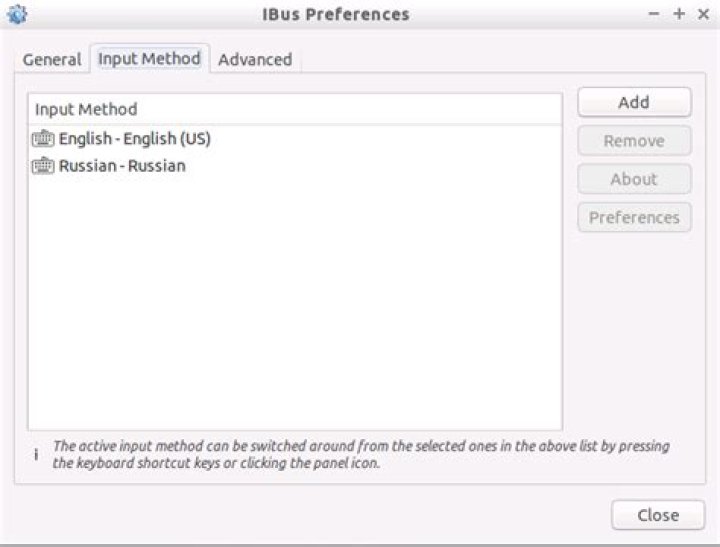
It is very strange but I can not find the way how to switch languages in Lubuntu 15.04 when connected to it via XRDP. I've added new language in Preferences -> Keyboard input methods. It opened "IBus Preferences". There in the "Input Methods" tab I've added needed language:

Then I've added keyboard shortcut for switching the language (I've tried a lot of different ones, no one works):
But the switching does not work. First of all it does not react to the shortcut I've specified. And finally it does not type on desired language even if I specify it by clicking the icon in the systray.
1 Answer
The article Ubuntu 14.04 – How to install xrdp in Ubuntu 14.04 says this in its section of "To set Keyboard layout at the xrdp Login screen, perform the following steps" :
2As explained above, with no special configuration, the xrdp login screen keyboard layout is set to english by default. if you need to change it to another keyboard layout, you should proceed with the following actions.
- You go to the
/etc/xrdpdirectory- you issue the command
setxkbmap -layout <%your layout%>to define which keyboard map/layout to use- create a copy of the
km-0409.inifile into the same directory. It seems that this is the default file used by xrdp to define the keyboard layout. You will need to use sudo in order to be able to write into the directory- Check that you have a backup of your file by typing the
dirorlscommand- update the file by issuing the following command
sudo xrdp-genkeymap km-0409.ini




