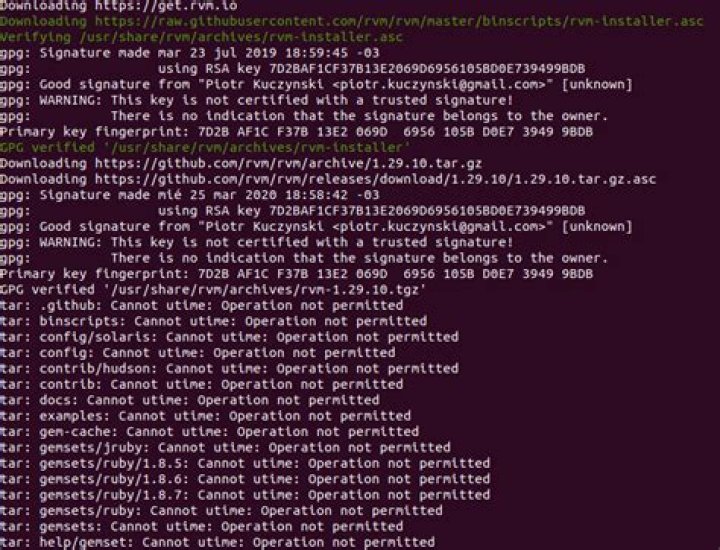

I've been through two Stack Exchange questions/answers and two GPG mailing list posts. I can't seem to clear "WARNING: This key is not certified with a trusted signature!". I would now like to disable it since I can't seem to clear it.
GnuPG shows the problem at Integrity Check, but they don't say how to fix it. They do say:
then you have a copy of our keys and the signatures are valid, but either you have not marked the keys as trusted or the keys are a forgery.
Looking through my gpg.conf I don't see a way to suppress useless warnings like shown below.
How do I suppress the message for a key?
The message is below. I've already marked 9306CC77 and subkey 971EDE93 trusted. I logged out and back on. I also rebooted the server. I am ready to move onto another problem.
# ~/do-update.sh => Fetching new catalog and descriptions () if available ... Checking integrity of /var/opt/csw/pkgutil/catalog.mirror.opencsw.org_opencsw_testing_i386_5.11 with gpg. gpg: Signature made Sat Apr 20 06:10:03 2019 EDT using DSA key ID 9306CC77 gpg: Good signature from "OpenCSW catalog signing <>" gpg: WARNING: This key is not certified with a trusted signature! gpg: There is no indication that the signature belongs to the owner. Primary key fingerprint: 4DCE 3C80 AAB2 CAB1 E60C 9A3C 05F4 2D66 9306 CC77 ==> 4013 packages loaded from /var/opt/csw/pkgutil/catalog.mirror.opencsw.org_opencsw_testing_i386_5.11 1 Answer
Any page that tells you to use --edit-key <id> trust in order to suppress this warning is, generally, going in the completely wrong direction. The confusing message actually has nothing to do with the key's trust setting. A trusted signature is one that was made by a valid key:
Key validity defines whether this key belongs to the person that it claims.
Key trust defines whether this key is allowed to sign other keys (Web-of-Trust). In other words, a trusted key may act as a CA and mark other keys as valid, transitively.
So in order to suppress the "untrusted signature" warning on a per-key basis, you have to mark the key as a valid (as that's literally the purpose of this warning).
To mark a key as valid, you usually sign it:
gpg --lsign-key "4DCE 3C80 AAB2 CAB1 E60C 9A3C 05F4 2D66 9306 CC77" Alternatively if you have the 'tofu' or 'tofu+pgp' trust-model active, you can also do:
gpg --tofu-policy good "4DCE 3C80 AAB2 CAB1 E60C 9A3C 05F4 2D66 9306 CC77" Now you should see this in --list-keys or --edit-key:
pub dsa1024/05F42D669306CC77 created: 2011-08-31 expires: never usage: SC trust: unknown validity: full
There is also a config option to suppress this warning for all keys; it's called trust-model always. It means GnuPG acts as if all keys were signed by a fully trusted key.
Finally, subkeys have neither trust nor validity settings, they're only containers for cryptographic parameters so they inherit this from the primary key.
4



