I would like to set a default font-family in Chromium. I want to make a Chinese font !important for all the pages.
4 Answers
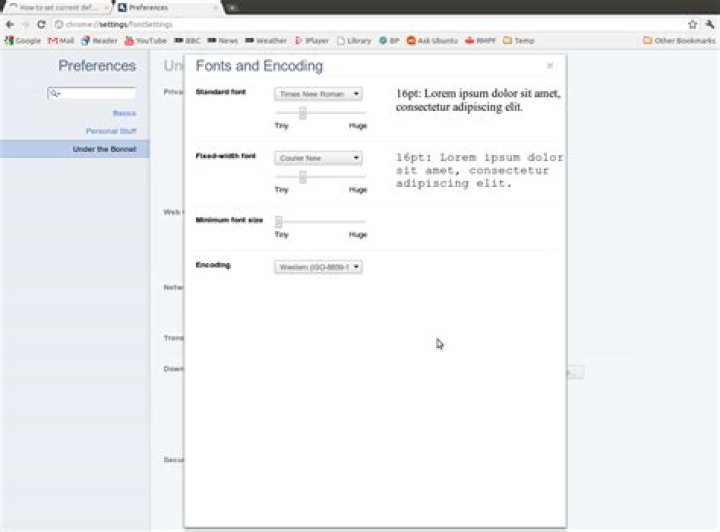
Cick on the "tools spanner" in the top right then click on Preferences.
From here click on "Under the Botnet" and then "Customize fonts".
The screenshot below is from Chromium 10 Beta, in earlier versions the dialogues will look a little different.
You can change the font in chromium from preferences > under the hood > change font and languages settings. Won't that do ?

Create a folder by running mkdir .config/chromium/Default/User\ StyleSheets/ and into this put a file called Custom.css containing your modifications much in the same way that Firefox has userChrome.css. Any changes you make will be immediately processed by Chromium, unlike Firefox. This feature was made available around the beginning of this year.
Add the appropriate CSS to your custom userstyle, which is usually located at $HOME/.config/chromium/Default/User Stylesheets/Custom.css.