I have a number of emails in my Inbox with square brackets in the subject line.
I want to search for these in Outlook so I can see how many of those emails I have and what they are.
Outlook simply refuses to search based on a symbol.
I have searched a lot for a solution for this and keep being redirected to this Blog post:
Which suggests that you can simply use the "Advanced search". However this DOES NOT work.

Searching for the word "test" works as expected. And as you can see I have emails with the word [Test] as the subject and also with the word [ Test ] as the subject in the search results. (two in sent items, two in inbox)
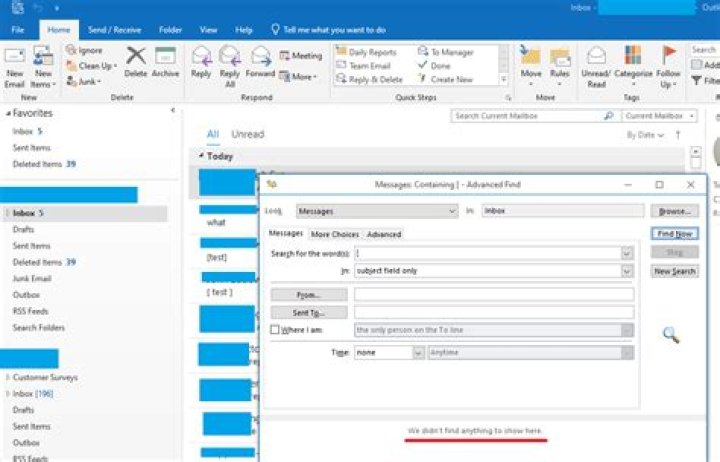
Searching for a square bracket character in that same inbox brings back no results
Using "Advanced Find" as per all the answers online, including a few on this site, doesn't work.

Using the "Advanced" tab in the "Advanced Find" menu, also doesn't work.
Tried on Outlook 2016 and Outlook 2019
I am losing my sanity trying everything for this. I can't believe that Outlook would deliberately ignore all special characters and symbols in every type of search, but it appears that it does.
21 Answer
According to my tests, it could work normally like below:
But by default, it wiould only search the "Inbox" folder but not the subfolders under it. If your mail is actually located in a subfolder, agree with spikey, it's recommended to choose "Browser" and check the "Search subfolders" option to test.
7



