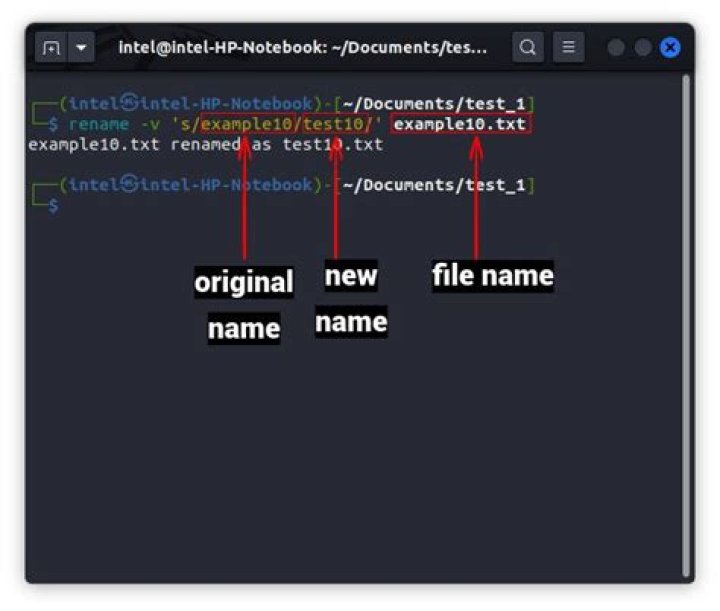

I have a directory which has files with random names. What I want to do is rename the files with file1, file2 and so on.The lexicographically smaller file name should be numbered with smaller number. How can I do that?
14 Answers
A simple bash script should do it.
#!/usr/bin/env bash count=0 for i in *; do mv "${i}" file${count}.`echo "${i}" | awk -F. '{print $2}'` ((++count)) done To help with a line-by-line explanation:
- Location of the bash shell this is executing under, determined by your environmental variable.
- Set the variable "count" to 0
- Creates a for-loop, iterating over the output of the command
ls(sorted alphabetically by default). - Moves (i.e. renames) the file "i" (current one in the loop) to
file#.ext. The "#" is the current number in "count" and the stuff past the "." is a quick way to get the current file extension (so this could work in a folder of various file extensions). - Increment the counter variable
loop, loop, loop
- done!
Note:
This executes in whatever directory you are executing it from. So as a script, you'd want to add a command line argument. Instead I would open a terminal, navigate to the directory to do this on, and execute the following (exactly):
for i in *; do mv "${i}" "file${count}".`echo "${i}" | awk -F. '{print $2}'`; ((++count)); doneThis is assuming that you only have file names such as "file.txt" not "this.is.a.file.txt"
You can use this python script:
#!/usr/bin/python import os #enter the path to the folder: relative or absolute direc = raw_input('Enter the path to directory: ') os.chdir(os.path.join(os.getcwd(),direc)) files = os.listdir('.') def func(x): return map(str.lower,os.path.splitext(x)) files.sort(key = func) for i,x in enumerate(files, 1): name, ext = os.path.splitext(x) os.rename(x, 'file{}{}'.format(i,ext)) A bash possibility (similar to nerdwaller's solution, but without subshells and forks to awk):
#!/usr/bin/bash shopt -s nullglob count=0 for i in *; do mv -nv -- "$i" "file$((++count))" done Switches for mv:
-nfor no clobber: won't overwrite an otherwise existing file. Remove it if you actually want to overwrite files (might not be available depending on your version ofmv),-vfor verbose: tell what it's doing. Highly optional (but I like to have these lines on my terminal to impress my colleagues),--for end of options: without this, and if a filename starts with a hyphen, that would confusemvas it would try to interpret it as an option. Might not be available depending on your version ofmv. Use it if available!
I'm also using the shell optional behavior nullglob so that if there are no files, then you won't get any errors (the loop will not get executed as * would expand to nothing in this case).
If you need to handle extensions too (as in nerdwaller's version), you don't need awk, it can all be done in bash:
#!/usr/bin/bash shopt -s nullglob count=0 for i in *; do mv -nv -- "$i" "file$((++count)).${i##*.}" done Observe that the numbering will not have any leading zeros, so that you'll get files named so:
file1 file2 ... file10 file11 ... and this might screw up the order of the files in listings. If you need leading zeros too:
#!/usr/bin/bash shopt -s nullglob files=( * ) lz=0 for ((n=${#files[@]};n;n/=10)); do ((++lz)); done count=0 for i in "${files[@]}"; do printf -v n "%0${lz}d" $((++count)) mv -nv -- "$i" "file$n" done And if you want it to keep the original file's extension, replace the line
mv -nv -- "$i" "file$n" with
mv -nv -- "$i" "file$n.${i##*.}" Caveats.
- Because this uses bash globbing, it might be quite slow if you have a huge number of files in your directory (globbing can take some time).
- This will rename everything, including directories, but not hidden files.
Cures.
- I don't have any solutions regarding speed in case of huge number of files in bash.
- If you need to discard directories from this renaming procedure, and only rename files, add
[[ -f $i ]] || continuejust after thefor i in *; dostatement. - If you need to also rename hidden files, add
shopt -s dotglobjust after theshopt -s nullglobstatement.
If you read down to here, I guess you'll be able to craft something that matches your very own need from the examples I gave you, hopefully using good bash practice (provided you choose to solve your problem using bash of course).
I wanted to implement the same when I was a student and was studying the Linux Shell Scripts. then I created the below script.. Have a look..




