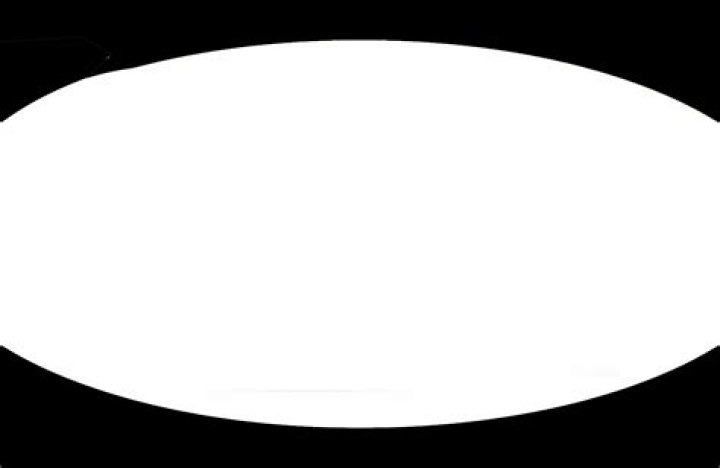
I want to create an oval shape like the one below but failing
Also is there any way to insert an image inside this oval shaped css? that's my main objective.
#oval { margin: 0px 0 10 02px; background: black; -moz-border-radius: 100px / 50px; -webkit-border-radius: 100px / 70px; border-radius: 50px / 50px; border-top-left-radius: 150px; border-top-right-radius: 150px; border-bottom-left-radius: 150px; border-bottom-right-radius: 150px; width: 80px; height: 100px; }<!DOCTYPE html> <html> <head> <script src=""></script> <meta charset=utf-8 /> <title>JS Bin</title> </head> <body> <div> <div></div> </div> </body> </html>
2 Answers
You can consider SVG as mask and you can easily obtain this shape.
.box { width:300px; display:inline-block; background:url() center/cover; -webkit-mask:url("data:image/svg+xml;utf8,<svg xmlns=' viewBox='0 0 64 78' ><path d='M0 39 C0 61 8 78 32 78 C56 78 64 61 64 39 C64 19 56 0 32 0 C8 0 0 19 0 39 Z' /></svg>") 0 / 100% 100%; mask:url("data:image/svg+xml;utf8,<svg xmlns=' viewBox='0 0 64 78' ><path d='M0 39 C0 61 8 78 32 78 C56 78 64 61 64 39 C64 19 56 0 32 0 C8 0 0 19 0 39 Z' /></svg>") 0 / 100% 100%; } .box::before { content:""; display:block; padding-top:121%; }<div></div> <div></div>below the SVG I am using and if you want to edit it here is a good online tool where you simply need to append the path into the url to start editing: 39 C0 61 8 78 32 78 C56 78 64 61 64 39 C64 19 56 0 32 0 C8 0 0 19 0 39 Z
<svg xmlns=' viewBox='0 0 64 78' width='100' > <path d='M0 39 C0 61 8 78 32 78 C56 78 64 61 64 39 C64 19 56 0 32 0 C8 0 0 19 0 39 Z' /> </svg>Thanks @dgknca , using your clipreact i tried and adding with border-radius did the job , Update : Problem , the width and top height looks good but the top curve is litter flattened in my requirement image and this one is too oval from top any help ?
#oval { margin: 0px 0 10 02px; background: url(""); -moz-border-radius: 100px / 50px; -webkit-border-radius: 100px / 70px; border-radius: 50px; clip-path: ellipse(50% 50% at 50% 50%); width: 82.4px; height: 100px; }<div></div>