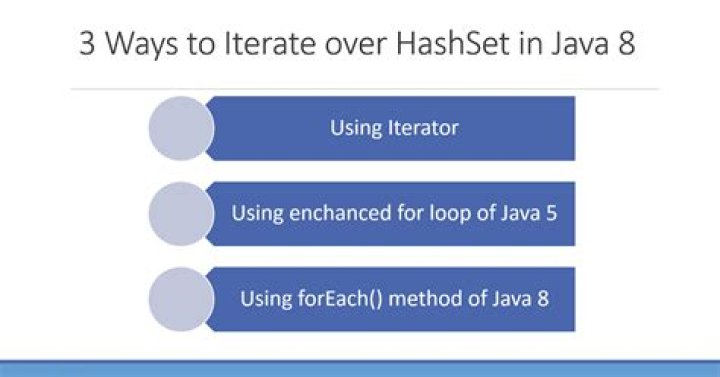

How can I iterate over a Set/HashSet without the following?
Iterator iter = set.iterator(); while (iter.hasNext()) { System.out.println(iter.next()); } 8 Answers
You can use an enhanced for loop:
Set<String> set = new HashSet<String>(); //populate set for (String s : set) { System.out.println(s); } Or with Java 8:
set.forEach(System.out::println); There are at least six additional ways to iterate over a set. The following are known to me:
Method 1
// Obsolete Collection Enumeration e = new Vector(movies).elements(); while (e.hasMoreElements()) { System.out.println(e.nextElement()); } Method 2
for (String movie : movies) { System.out.println(movie); } Method 3
String[] movieArray = movies.toArray(new String[movies.size()]); for (int i = 0; i < movieArray.length; i++) { System.out.println(movieArray[i]); } Method 4
// Supported in Java 8 and above movies.stream().forEach((movie) -> { System.out.println(movie); }); Method 5
// Supported in Java 8 and above movies.stream().forEach(movie -> System.out.println(movie)); Method 6
// Supported in Java 8 and above movies.stream().forEach(System.out::println); This is the HashSet which I used for my examples:
Set<String> movies = new HashSet<>(); movies.add("Avatar"); movies.add("The Lord of the Rings"); movies.add("Titanic"); Converting your set into an array may also help you for iterating over the elements:
Object[] array = set.toArray(); for(int i=0; i<array.length; i++) Object o = array[i]; To demonstrate, consider the following set, which holds different Person objects:
Set<Person> people = new HashSet<Person>(); people.add(new Person("Tharindu", 10)); people.add(new Person("Martin", 20)); people.add(new Person("Fowler", 30)); Person Model Class
public class Person { private String name; private int age; public Person(String name, int age) { this.name = name; this.age = age; } //TODO - getters,setters ,overridden toString & compareTo methods } - The for statement has a form designed for iteration through Collections and arrays .This form is sometimes referred to as the enhanced for statement, and can be used to make your loops more compact and easy to read.
for(Person p:people){ System.out.println(p.getName()); }
- Java 8 - java.lang.Iterable.forEach(Consumer)
people.forEach(p -> System.out.println(p.getName()));
default void forEach(Consumer<? super T> action) Performs the given action for each element of the Iterable until all elements have been processed or the action throws an exception. Unless otherwise specified by the implementing class, actions are performed in the order of iteration (if an iteration order is specified). Exceptions thrown by the action are relayed to the caller. Implementation Requirements: The default implementation behaves as if: for (T t : this) action.accept(t); Parameters: action - The action to be performed for each element Throws: NullPointerException - if the specified action is null Since: 1.8 You can use functional operation for a more neat code
Set<String> set = new HashSet<String>(); set.forEach((s) -> { System.out.println(s); }); Here are few tips on how to iterate a Set along with their performances:
public class IterateSet { public static void main(String[] args) { //example Set Set<String> set = new HashSet<>(); set.add("Jack"); set.add("John"); set.add("Joe"); set.add("Josh"); long startTime = System.nanoTime(); long endTime = System.nanoTime(); //using iterator System.out.println("Using Iterator"); startTime = System.nanoTime(); Iterator<String> setIterator = set.iterator(); while(setIterator.hasNext()){ System.out.println(setIterator.next()); } endTime = System.nanoTime(); long durationIterator = (endTime - startTime); //using lambda System.out.println("Using Lambda"); startTime = System.nanoTime(); set.forEach((s) -> System.out.println(s)); endTime = System.nanoTime(); long durationLambda = (endTime - startTime); //using Stream API System.out.println("Using Stream API"); startTime = System.nanoTime(); set.stream().forEach((s) -> System.out.println(s)); endTime = System.nanoTime(); long durationStreamAPI = (endTime - startTime); //using Split Iterator (not recommended) System.out.println("Using Split Iterator"); startTime = System.nanoTime(); Spliterator<String> splitIterator = set.spliterator(); splitIterator.forEachRemaining((s) -> System.out.println(s)); endTime = System.nanoTime(); long durationSplitIterator = (endTime - startTime); //time calculations System.out.println("Iterator Duration:" + durationIterator); System.out.println("Lamda Duration:" + durationLambda); System.out.println("Stream API:" + durationStreamAPI); System.out.println("Split Iterator:"+ durationSplitIterator); } } The code is self explanatory.
The result of the durations are:
Iterator Duration: 495287 Lambda Duration: 50207470 Stream Api: 2427392 Split Iterator: 567294 We can see the Lambda takes the longest while Iterator is the fastest.
Enumeration(?):
Enumeration e = new Vector(set).elements(); while (e.hasMoreElements()) { System.out.println(e.nextElement()); } Another way (java.util.Collections.enumeration()):
for (Enumeration e1 = Collections.enumeration(set); e1.hasMoreElements();) { System.out.println(e1.nextElement()); } Java 8:
set.forEach(element -> System.out.println(element)); or
set.stream().forEach((elem) -> { System.out.println(elem); }); However there are very good answers already available for this. Here is my answer:
1. set.stream().forEach(System.out::println); // It simply uses stream to display set values 2. set.forEach(System.out::println); // It uses Enhanced forEach to display set values Also, if this Set is of Custom class type, for eg: Customer.
Set<Customer> setCust = new HashSet<>(); Customer c1 = new Customer(1, "Hena", 20); Customer c2 = new Customer(2, "Meena", 24); Customer c3 = new Customer(3, "Rahul", 30); setCust.add(c1); setCust.add(c2); setCust.add(c3); setCust.forEach((k) -> System.out.println(k.getId()+" "+k.getName()+" "+k.getAge())); // Customer class:
class Customer{ private int id; private String name; private int age; public Customer(int id,String name,int age){ this.id=id; this.name=name; this.age=age; } // Getter, Setter methods are present.} 



