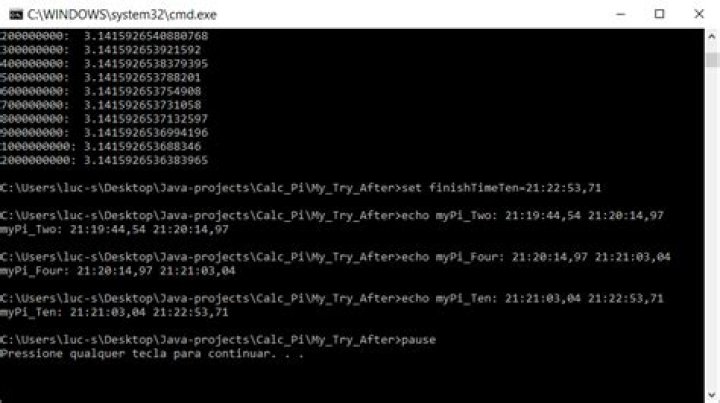
I want to hide the commands in the prompt that opened from a batch file. Example:
This is how it normally is:

This is how I want it to be:

It would be good as well if there was a way of output everything (except the commands) to a text file. I used the redirection operator (Time_Dif.bat > Time_Dif_Log.txt ) but it wrote the commands just like the prompt (as expected).
I searched and I found a lot of questions about how to hide the entire prompt from a batch or how to prevent the prompt from self closing in the end of the batch file but I want to hide only the commands.
The batch file:
set startTimeTwo=%time% javac myPi_Two.java java myPi_Two set finishTimeTwo=%time% set startTimeFour=%time% javac myPi_Four.java java myPi_Four set finishTimeFour=%time% set startTimeTen=%time% javac myPi_Ten.java java myPi_Ten set finishTimeTen=%time% echo myPi_Two: %startTimeTwo% %finishTimeTwo% echo myPi_Four: %startTimeFour% %finishTimeFour% echo myPi_Ten: %startTimeTen% %finishTimeTen% pause 2 Answers
While searching for other problem in the use of redirection operator I discovered that just turning off the "echo" solved the problem.
Just open the prompt and write:
echo off After that run your batch file from the same prompt while in the correct folder:
Time_Dif.bat Or output the result to a text file:
Time_Dif.bat > Time_Dif_Log.txt After that it will not show the commands in the prompt or in a external text file. Example:
EDITED (From answer of @Kyle A, comment of @JUICED_IT and TechNet):
It's possible to put @echo off in the beggining of the batch file so you can open direct from file explorer without commands being showed in the prompt. My final file:
@echo off set startTimeTwo=%time% javac myPi_Two.java java myPi_Two set finishTimeTwo=%time% set startTimeFour=%time% javac myPi_Four.java java myPi_Four set finishTimeFour=%time% set startTimeTen=%time% javac myPi_Ten.java java myPi_Ten set finishTimeTen=%time% echo. echo myPi_Two: %startTimeTwo% %finishTimeTwo% echo myPi_Four: %startTimeFour% %finishTimeFour% echo myPi_Ten: %startTimeTen% %finishTimeTen% pause I added echo. aswell to create an empty line, just for organize the output. Prompt after changes:
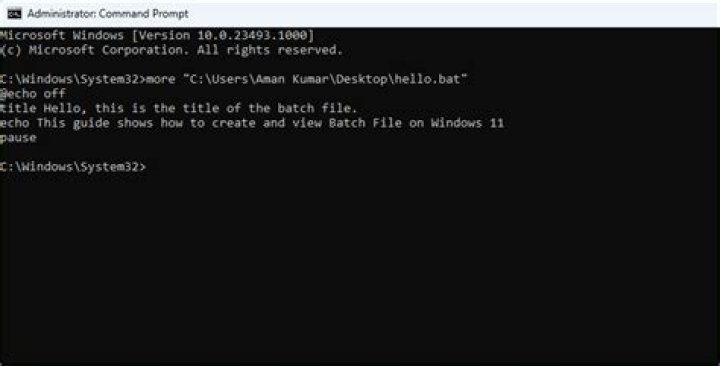
Use the Echo command (@echo off).
1



