After installing Ubuntu 22.04, I have trouble getting Sogou Pinyin IME work properly. The issue I'm facing is that the trigger key combination [Ctrl + Space] toggles the IME icon on and off in the right corner of the top panel, but the IME widget (see screenshot below) won't always appear on the screen and IME conversion won't happen, letters appear in the place of input in the usual way, as with no IME. The only thing I see in this case is a 'toast' message that says 'sogoupinyin' and disappears after a second. Sometimes the widget does appear and IME conversion works, however. I am unable to figure out what is causing this issue.
In the past I followed this "recipe" for installing Sogou Pinyin on Ubuntu and it has always worked reliably. Here's the procedure, I have followed.
After installing the system, open
Language Supportand allow the operating system to install the missing files it wants to installThen click
Install/Remove languages, and select both Simplified and Traditional Chinese, wait for the installation of Chinese files/packagesRestart system/logout
Install
fcitx,fcitx-pinyin,fctix-googlepinyin(not sure which of the latter two was actually necessary, I usedsynaptichere to take care of installing all the dependencies)Select
fcitxinLanguage Supportto be the default input method systemRestart system/logout
Download the .deb file from Sogou's website
Run
sudo dpkg -i sogoupinyin_[version-numer].deb(and fix the dependency problems withsudo apt-get install -f)Restart system/logout
Hit
[Ctrl + Space]. At this point the IME widget would appear and things would work as expected.
With jammy, installing and troubleshooting Sogou Pinyin has become a time consuming hassle.
Version numbers:
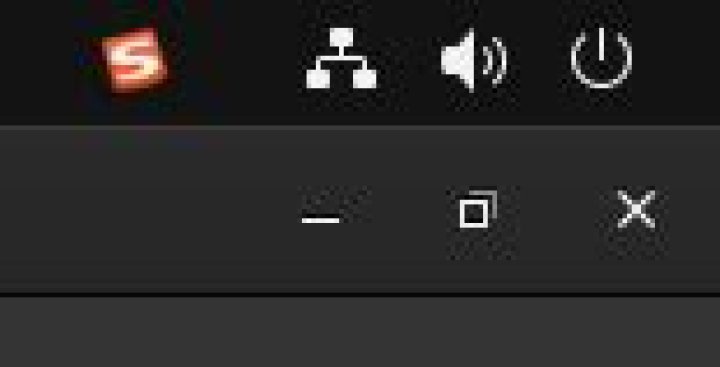
Ubuntu Desktop 22.04 fcitx version: 4.2.9.8 fcitx-googlepinyin: 0.1.6-5 fcitx-pinyin: 1:4.2.9.8-5 Sogou Pinyin package: sogoupinyin_4.0.1.2123_amd64.deb Here's what I mean by 'icon': 
Here's what I mean by 'widget': 
EDIT: Here's a workaround that has "fixed" the problem. Install Sogou Pinyin from an older release.
EDIT 2: apt policy fcitx
fcitx: Installed: 1:4.2.9.8-5 Candidate: 1:4.2.9.8-5 Version table: *** 1:4.2.9.8-5 500 500 jammy/universe amd64 Packages 500 jammy/universe i386 Packages 100 /var/lib/dpkg/status 4 Answers
If you install a Chinese language in Ubuntu 22.04, Language Support pulls fcitx5. AFAIK Sogou is not yet adapted to fcitx5, but only fcitx (i.e. fcitx4). And fcitx5 and fcitx4 can't co-exist.
That might be the reason why you run into difficulties.
The Ubuntu Kylin considerations in this bug are related.
4I find a way to fix this:
when I try to run "/opt/sogoupinyin/files/bin/sogoupinyin-service", it give me "libgsettings-qt.so.1 not found" error, so just install deps with:
sudo apt install libgsettings-qt-dev
And then logout, relogin, every thing works.
A possible reason is that Ubuntu 22.04 enables Wayland by default. For Wayland you may export the environments variables elsewhere:
In /etc/environment, add these:
GTK_IM_MODULE=fcitx QT_IM_MODULE=fcitx XMODIFIERS="@im=fcitx" Then reboot. This works for me.
sogoupinyin-service misses two Qt libraries:
sudo apt install libgsettings-qt1 libqt5qml5
Then reboot. It works well now.