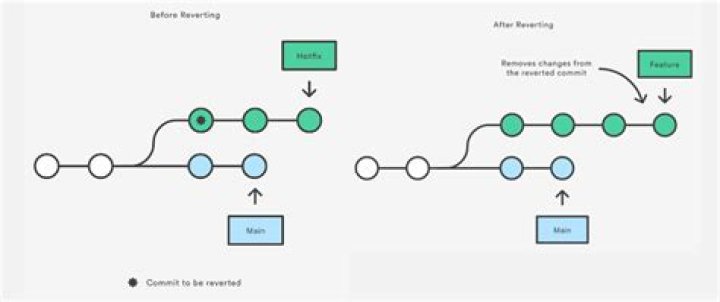

I did something wrong on my code and I searched some command to revert back to the previous version but things goes worser. I have no idea what to do to fix the problem. So scary~~~
I have tried many commands and no idea what I have used once I used git revert to get back to normal working status. In this stage my code is working but how can I get back to master branch?
Now the terminal show: zswenjin:~/workspace/project_1 ((f9f01be...)|REVERTING) $ That is git log: commit f9f01bee8249770135e92dc6bc117c5033d3e349 (HEAD) Merge: 2a9bc0a 2bb5f7e Author: Louis Date: Wed Aug 29 12:28:23 2018 +0000 Merge branch 'master' into HEAD commit 2a9bc0a2110c1a35ab32504c16208305ee7ac895 Author: Louis Date: Wed Aug 29 12:23:00 2018 +0000 Revert "Revert "user now can edit and update their reviews"" This reverts commit 37062450a252dcf2f22054e9b094ce97bb60ed6d. commit afd7b3a8f0fcbd89577bef1f473d0721138b0b3e Author: Louis Date: Wed Aug 29 12:21:40 2018 +0000 Revert "user now can edit and update their reviews" This reverts commit 5b7e703aafe1a5d745674eb2350cd4967a9d73a7. commit 2bb5f7ee26fff9ec2f8ec3653e87ae30a191e7e4 (github/master, master) Author: Louis Date: Wed Aug 29 11:46:20 2018 +0000 just commit commit 466ce7f711bf38203be829424d960157638e8d4e Author: Louis Date: Wed Aug 29 11:44:07 2018 +0000 Revert "recover from disater" This reverts commit 1162459e513425da2ba22a82a7d787fb2cd8da79. commit 1162459e513425da2ba22a82a7d787fb2cd8da79 Author: Louis Date: Wed Aug 29 11:38:00 2018 +0000 recover from disater commit 37062450a252dcf2f22054e9b094ce97bb60ed6d Author: Louis Date: Wed Aug 29 11:35:26 2018 +0000 Revert "user now can edit and update their reviews" This reverts commit 5b7e703aafe1a5d745674eb2350cd4967a9d73a7. git status shows:
HEAD detached from 5b7e703 You are currently reverting commit 3706245. (fix conflicts and run "git revert --continue") (use "git revert --abort" to cancel the revert operation) Changes to be committed: (use "git reset HEAD <file>..." to unstage) modified: app/Http/Controllers/ProductController.php modified: database/test.sql modified: resources/views/includes/manufacturer/manufacturerDetail.blade.php modified: resources/views/includes/navBar/navBar.blade.php modified: resources/views/includes/products/productDetail.blade.php modified: resources/views/includes/products/updateProduct.blade.php new file: resources/views/includes/reviews/editReview.blade.php modified: resources/views/reviewDesc.blade.php Unmerged paths: (use "git reset HEAD <file>..." to unstage) (use "git add <file>..." to mark resolution) both modified: routes/web.php 2 Answers
If you just want to get back to master:
You should be able to exit the "reverting" state by
git revert --abort It appears you will then be in detached head state. The information you've given doesn't tell us how you got into that state, or whether you have made any changes while in detached head (which could then be stored in unreachable commits). If so, you might want to create a branch or tag before moving on, to ensure that those changes are recoverable later.
Furthermore at this point you might want to say
git status to see if there are any uncommitted changes.
Once you're sure you want to go back to master, you should be able to
git checkout master It's possible local uncommitted changes would interfere with this, in which case you'd have to decide whether to commit them, stash them, discard them, or postpone the checkout until later when you've done one of the above.
As git status tells you, you have two options:
You are currently reverting commit 3706245. (fix conflicts and run "git revert --continue") (use "git revert --abort" to cancel the revert operation)
What you need to do depends on what you want to accomplish. Do you want to cancel the revert, do git revert --abort. Do you want to revert this commit, then fix the conflicts and do git revert --continue.




