What is the easiest way to know my current DNS server's IP address or domain name? I am trying to troubleshoot my broadband Internet connection under Windows 7.
25 Answers
If you know your public IP address simply enter in a command prompt window:
nslookup <your public IP> You can also specify the name server to check against by appending it to the above command.
You can get your current IP address from sites like
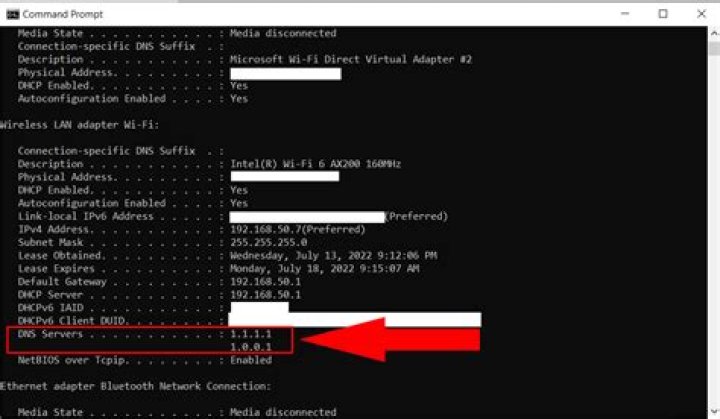
4You want to open "Run" then type
cmd.exe In the command prompt enter this command
C:\>ipconfig /all | findstr /R "DNS\ Servers" The output should look something like:

Personally, I prefer this approach:
echo | nslookup | findstr "Default\ Server" It will print the name of your default DNS server in the shell
2echo exit | nslookup This will show the primary DNS server domain name and IP address.
Default Server: google-public-dns-a.google.com Address: 8.8.8.8 > Thanks to @OliverSalzburg's answer.
The following powershell command outputs the DNS information in a structured format:
powershell Get-DnsClientServerAddress Example output:
InterfaceAlias Interface Address ServerAddresses Index Family -------------- --------- ------- --------------- vEthernet (Default Switch) 21 IPv4 {} vEthernet (Default Switch) 21 IPv6 {fec0:0:0:ffff::1, fec0:0:0:ffff::2, fec0:0:0:ffff::3} Wi-Fi 17 IPv4 {10.0.0.1} Wi-Fi 17 IPv6 {2001:123:456:789::1, 2001:123:456:789::2} 



