
My prefered browser: Chromium My prefered download manager : uget+aria2
When I download a Google Drive folder shared to me, Chromium automatically downloads it by its default download manager. Problem is the size is really huge. So I got to have some resume support.
So when I copy the link to uget, or aria2 in terminal... a ServiceLogin.html file gets downloaded.
I have no luck with wget via terminal as well.
So what could be the easy way?
67 Answers
I had the same issue downloading files using downloaders. The issue is when you are logged in with any Gmail account, google generates a different link. What I do is, I generate a shareable link and open that link in incognito mode, then just added the link to downloader and it works. And now the download link generated is a different one.
More Clear Solution (Changed)
- Open Browser in Private/incognito mode
- Open the download url for example it is ""
- File size is larger so it will show you warning just click Download anyway the file will start downloading.
- Now goto downloads and copy real link form it, that will be like "". For each time/session you will get changed/new link
- Now add this link to the uget/idm/xdm it will start downloading.
Tools Info UGet+ Chrome
11Tools :
- cookies.txt extension
- any download manager accept ccokies files (I use aria2)
Steps :
- Download cookies of the tab.
- load the cookies to the download manager (I am using aria2).
- Start download.
Ex:.
aria2c --load-cookies=cookies.txt <Download-Url> What worked for me was:
- Open Browser in Private/incognito mode
- Open the download url for example it is
- File size is larger so it will show you warning just click Download anyway the file will start downloading.
- Make sure download starts in your browser (I used Firefox 51).
- Go to downloads (Ctrl + J) copy the link and don't stop the download yet!
- Paste the link in your download manager, (I used FDM)
- Soon as download begins in your manager feel free to stop the download in the browser.
- If the download stops for some reason, just go through the above steps again, and replace the old download link with the new one in your download manager and resume!
Actually this might solve the issue in a clever & useful way
Tools used:
- wget
- uGet (or any other Download Manager)
Things to do:
- Open terminal
- Set this command ->
nano ~/.bash_aliases Copy and paste this function into the terminal
gdrive_download () { CONFIRM=$(wget --quiet --save-cookies /tmp/cookies.txt --keep-session-cookies --no-check-certificate "" -O- | sed -rn 's/.*confirm=([0-9A-Za-z_]+).*/\1\n/p') wget --load-cookies /tmp/cookies.txt "" -O $2 rm -rf /tmp/cookies.txt }Save file by pressing Ctrl+X
On terminal, call the function (this is an example)
gdrive_download long_google_drive_file_id filename.extOnce it run, you will see an url ""
- copy and paste this url in your uGet > New Download > URI
- Enjoy.
Tested to this date.
The function gdrive_download comes from vladalive's comment, using the one-line command from beliys.
They're whom deserve such credit.
1You may get a direct link of the file by using the DriveAPI:
First set your file view permission to
Anyone With the Link.Copy the
File ID, which is the string betweenand/view?usp=sharingGo to Google Cloud Platform
Click
CREATE CREADENTIALSon the top of the page, thenAPI Key.Copy the API Key and build the link with following syntax:
Updating my IDM to the latest version did the trick for me. Once I updated IDM to the latest version it automatically added an extension to chrome. I, then restarted chrome in normal mode, pasted the url and hit on "Enter" and IDM popped up with the proper link for the file to be downloaded. I'm happily downloading the file with IDM now. The file size is approx. 2.5 GB.
Hope this helps.
I had the same issue, and I found this way extremely easy.
First, I have to say it would be helpful if you want to download a file whose link expired using the IDM (Internet Download Manager) application.
So do these steps:
1-download the file with IDM
2-after a while, the link will be expired, and IDM will not continue to download the file. So stop the download, do a right-click on the file in IDM and choose refresh download address
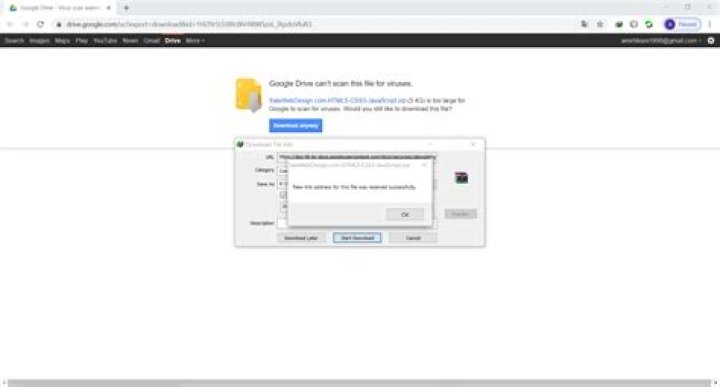
3-then you will go to the first download page that has a download link in it, click on download (in some cases, it's download anyway) you will get a message that says
is this your new link? (or something like that) , so click on yes, it will be the message you that your link refresh successfully (or again, something like that!)
Image Step 3-1 Step 3-2 Step 3-3
4- go back to the IDM, right-click on the file, and choose resume download. your file will continue to download