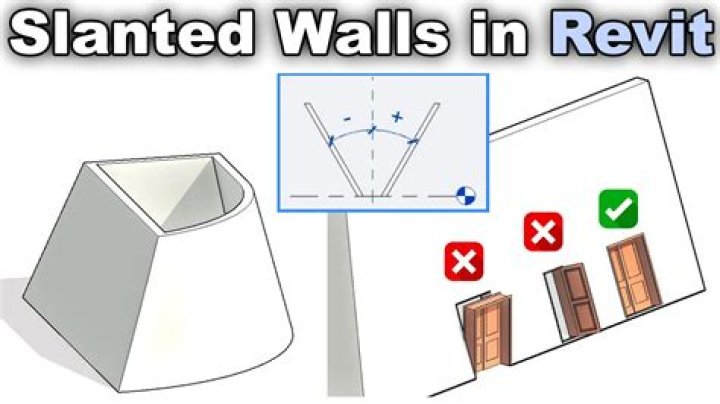

Im trying to develop script for myself in dynamo(Revit 2021), but I don't understand how can I create the slanted wall? According to this blog of changes in revit 2021, there are such parameters for creating inclined walls as BuiltInParameter.WALL_CROSS_SECTION. However, there are no examples of using them to existing parameters or classes. Therefore, I do not understand exactly where to use it at the stage of creating a line or wall and what should be the appeal?
The part of the code where the wall itself is created, in the end I tried to turn to the wall and change its orientation parameter to an inclined one, because there are no other appeals.
import sys import clr clr.AddReference('ProtoGeometry') from Autodesk.DesignScript.Geometry import * clr.AddReference('RevitServices') import RevitServices from RevitServices.Persistence import DocumentManager from RevitServices.Transactions import TransactionManager doc = DocumentManager.Instance.CurrentDBDocument clr.AddReference('RevitAPI') import Autodesk from Autodesk.Revit.DB import * clr.AddReference('RevitNodes') import Revit clr.ImportExtensions(Revit.Elements) clr.ImportExtensions(Revit.GeometryConversion) # points for line p_tp_1_1 = XYZ(x_tp_1_1, y_tp1, levels.get_Parameter(BuiltInParameter.LEVEL_ELEV).AsDouble() + size_of_batten_1v_width) p_tp_1_2 = XYZ(x_tp_1_2, y_tp1, levels.get_Parameter(BuiltInParameter.LEVEL_ELEV).AsDouble() + size_of_batten_1v_width) # Draw a line wall_line_tp1 = Line.CreateBound(p_tp_1_1, p_tp_1_2) # Create a Wall wall_tp1 = Wall.Create(doc, wall_line_tp1, type.Id, levels.Id, h_tp_1, z_tp1, 0, 1) wall_tp1.Orientation(BuiltInParameter.WALL_CROSS_SECTION(1)) If there is anyone who has encountered this, the example can be in C++ or c#, I will try to adapt it in python. And thanks for any help.
2 Answers
As I mentioned in my answer to your question in The Revit API discussion forum, here are some API samples and updates from The Building Coder that may be of use:
- The FaceWall Class and Slanted Walls
- Create FaceWall on Slanted Mass Face
- What's New in the Revit 2021 API: 1.9. Slanted Walls
- What's New in the Revit 2022 API: 2.1.4. Slanted and Tapered Walls
So I figured it out on my own. If anybody have the same question, there is a cod:
# Points p_tp_1_1 = XYZ(x_tp_1_1, y_tp1, levels.get_Parameter(BuiltInParameter.LEVEL_ELEV).AsDouble() + size_of_batten_1v_width) p_tp_1_2 = XYZ(x_tp_1_2, y_tp1, levels.get_Parameter(BuiltInParameter.LEVEL_ELEV).AsDouble() + size_of_batten_1v_width) # Draw a line wall_line_tp1 = Line.CreateBound(p_tp_1_1, p_tp_1_2) # Create a Wall wall_tp1 = Wall.Create(doc, wall_line_tp1, type.Id, levels.Id, h_tp_1, z_tp1, 0, 1) # Here we get the parameter of the wall cross_wall = Wall.get_Parameter(wall_tp1, BuiltInParameter.WALL_CROSS_SECTION) # Set a value to the parameter ( 0 - slanted; 1 - vertical) cross_wall.Set(0) # assign the angle of the wall angle_wall.get_Parameter(wall_tp1, BuiltInParameter.WALL_SINGLE_SLANT_ANGLE_FROM_VERTICAL) # For example, we tilt it by 30 degrees: angle_wall.Set(0.30) 



