I'm trying to install gnuplot 5.3 from github. I'm running
aclocal autoheader autoconf automake inside the package location.
This gives an error because automake is looking for Makefile.in and I have a bunch of Makefile.am files, supposedly automake should change the .am files to .in but that clearly doesn't happen. Can't run ./configure after becuase of the same reason, how do I get the .am files to change to .in?
1 Answer
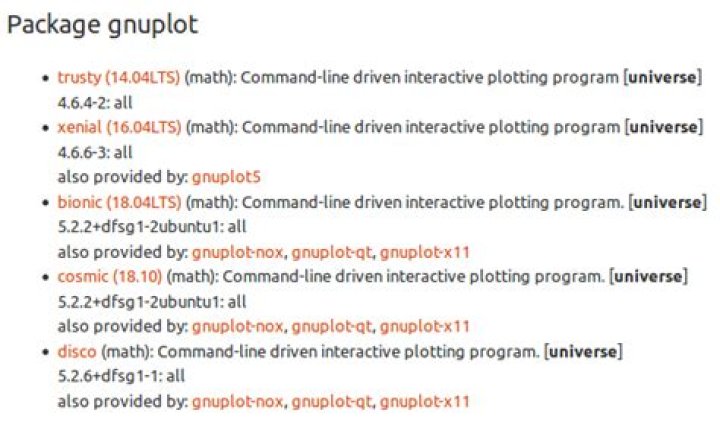
At first please note that GNU Plot is packaged in all Ubuntu versions:
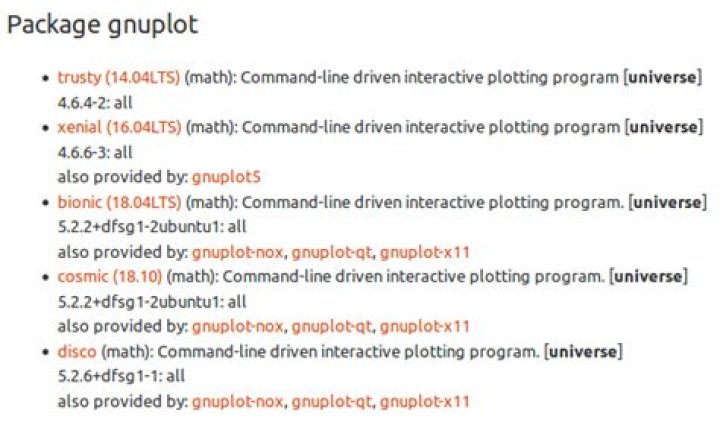
But you can compile GNU Plot from GitHub by using the followed procedure:
Enable Source code repositories in Software & Updates (
software-properties-gtk) and install compile-time dependencies to be completely sure that all dependencies are satisfied on compile timesudo apt-get build-dep gnuplotInstall needed tools
sudo apt-get install git lua5.1Clone repository and run
./preparescript first (!!! important step !!!)git clone cd gnuplot ./prepareThen run all usual tools:
./configure make #make check # shows various very beautiful plots sudo make installNote: it is better to use Checkinstall (
sudo make checkinstall install) in last step, decide by yourself.