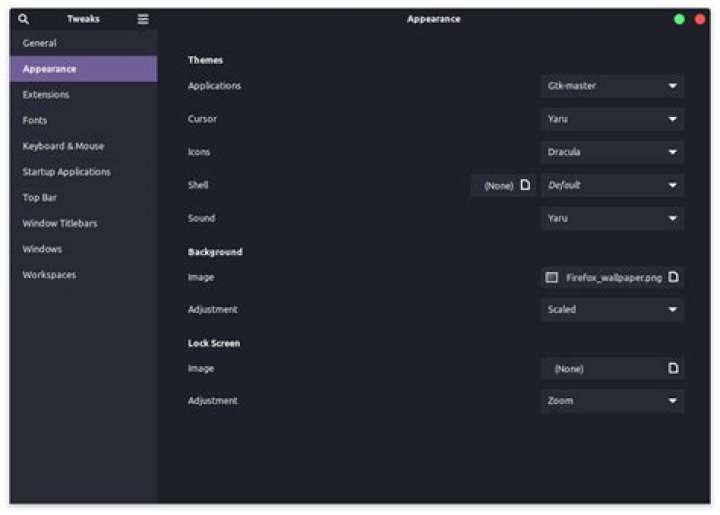
I use gnome 3.38.5 on ubuntu 21.04. My tweaks setting: 
basically i wanna change all the orange colour on ubuntu. for example the border of this research form or those of the monitor preview on the right: 
1 Answer
It looks like you have installed a theme and are using it for your desktop (i.e. your application windows). To use the same theme for “Gnome Shell” (i.e. the top bar, the dock, and the applications overview), do the following:
Go to extensions.gnome.org and install the User Themes extension
Install Gnome Tweaks (listed for completeness, but you already have this).
sudo apt install gnome-tweaksOpen Gnome Tweaks
Make sure the newly installed User Themes extension is active on the Extensions tab.
On the Appearance tab, select your desired (purple) theme for the Shell Theme.