
I have loads of programs that require Qt4 and I need to install programs that require Qt5. When I try to install Qt5 things start off dodgy and then proceed to insanity. I request friendly guidance. It's probably easiest for you to look at the terminal output directly:
$ sudo apt update Ign:1 wily InRelease Ign:2 xenial InRelease Hit:3 wily Release Hit:4 xenial InRelease Ign:5 xenial_-_mir26 InRelease Hit:6 xenial InRelease Hit:8 xenial-updates InRelease Hit:9 xenial Release Hit:10 xenial-security InRelease Hit:11 xenial-backports InRelease Hit:12 xenial_-_mir26 Release Hit:13 xenial InRelease Hit:14 stable InRelease Hit:15 xenial InRelease Hit:17 xenial InRelease Hit:19 xenial InRelease Hit:20 xenial InRelease Hit:21 xenial InRelease Hit:22 xenial InRelease Reading package lists... Done Building dependency tree Reading state information... Done 23 packages can be upgraded. Run 'apt list --upgradable' to see them. $ sudo apt install qt5-default Reading package lists... Done Building dependency tree Reading state information... Done You might want to run 'apt-get -f install' to correct these: The following packages have unmet dependencies. protonmail-bridge : Depends: libqt5designer5 but it is not going to be installed Depends: libqt5multimediawidgets5 but it is not going to be installed qt5-default : Depends: qtbase5-dev Depends: qtchooser (>= 55-gc9562a1-1~) E: Unmet dependencies. Try 'apt-get -f install' with no packages (or specify a solution). $ sudo apt install qtbase5-dev Reading package lists... Done Building dependency tree Reading state information... Done You might want to run 'apt-get -f install' to correct these: The following packages have unmet dependencies. protonmail-bridge : Depends: qt5-default but it is not going to be installed Depends: libqt5designer5 but it is not going to be installed Depends: libqt5multimediawidgets5 but it is not going to be installed qtbase5-dev : Depends: libgles2-mesa-dev but it is not going to be installed or libgles2-dev but it is not installable Depends: libqt5concurrent5 (= 5.9.5+dfsg-0ubports2) but it is not going to be installed Depends: qt5-qmake (= 5.9.5+dfsg-0ubports2) Depends: qtbase5-dev-tools (= 5.9.5+dfsg-0ubports2) Depends: qtchooser Recommends: libqt5opengl5-dev (= 5.9.5+dfsg-0ubports2) E: Unmet dependencies. Try 'apt-get -f install' with no packages (or specify a solution). $ sudo apt-get -f install Reading package lists... Done Building dependency tree Reading state information... Done Correcting dependencies... Done The following packages were automatically installed and are no longer required: audacity-data libflac++6v5 liblilv-0-0 libportsmf0v5 libqscintilla2-l10n libqt4-declarative libqt4-network libqt4-script libqt4-sql libqt4-sql-mysql libqt4-sql-sqlite libqt4-xml libqt4-xmlpatterns libqtcore4 libqtdbus4 libqtgui4 libsbsms10 libserd-0-0 libsord-0-0 libsratom-0-0 libunibreak1 libvamp-hostsdk3v5 libzlcore-data libzlcore0.13 libzltext-data libzltext0.13 linux-headers-4.15.0-42 linux-headers-4.15.0-42-generic linux-image-4.15.0-42-generic linux-modules-4.15.0-42-generic linux-modules-extra-4.15.0-42-generic simplescreenrecorder-lib sqliteman-doc Use 'sudo apt autoremove' to remove them. The following packages will be REMOVED audacity fbreader libqscintilla2-12v5 libqt4-designer libqt4-opengl libqt4-svg libsuil-0-0 libzlui-qt4 protonmail-bridge simplescreenrecorder sqliteman vidyodesktop 0 to upgrade, 0 to newly install, 12 to remove and 23 not to upgrade. 1 not fully installed or removed. After this operation, 45.6 MB disk space will be freed. Do you want to continue? [Y/n] n The final suggestion of my attempt would remove some core things I need, so this is not an option. How might I proceed, kindly stranger?
1 Answer
clean up and update:
sudo apt-get autoremove && sudo apt update && sudo apt upgrade Download Qt5:
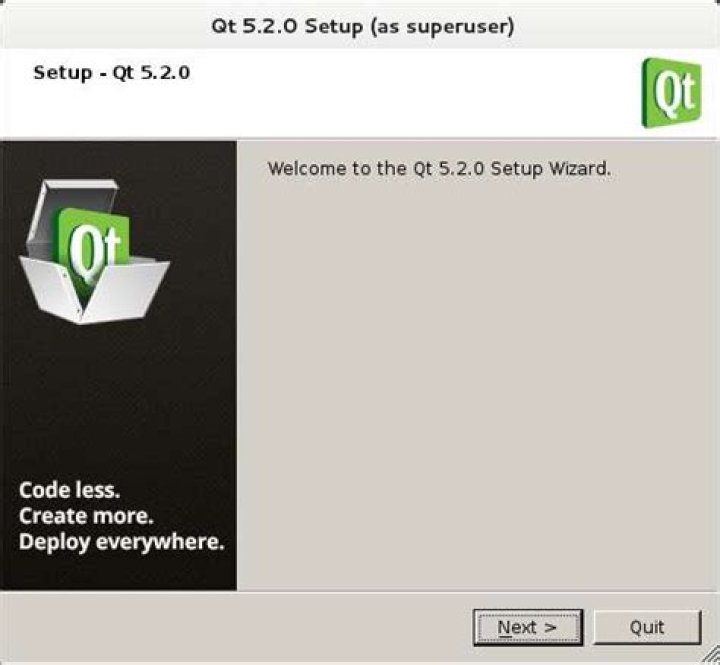
wget Install:
chmod +x qt-opensource-linux-x64-5.7.0.run \ ./qt-opensource-linux-x64-5.7.0.run Install g++:
sudo apt-get install build-essential Install generic font configuration library - runtime:
sudo apt-get install libfontconfig1 Configure a compiler:
Launch Qt Creator. Go to Tools > Options. Click Build & Run and select tab Kit. Configure a compiler if it is not automatically detected.
Install OpenGL libraries:
sudo apt-get install mesa-common-dev Source:
3