The first e-mail account I added to Outlook would have a small semi-transparent box pop-up whenever I got a new e-mail. This would have the sender and the first sentence of the bod and fades away in a few seconds. This would happen even if I had Outlook minimized. For some reason my other e-mail accounts don't do this, how do I set it up? The first account uses Exchange Server so I don't know if that's why.

I'm surprised Outlook only does this for the default mailbox.
12 Answers
For displaying alerts on new email arriving in other folders than the default Inbox, the solution would be to use Rules. See this link for detailed step-by-step guide to do that. Most important is step 9 to make sure this runs ahead of all other rules. This bolg post has a brief version of the same with screenshots if that is easier to follow.
Also an article from Microsoft Office online help on same topic for more info.
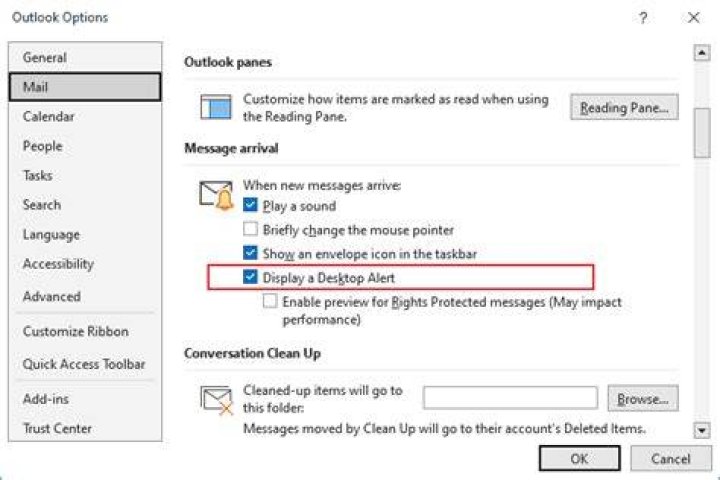
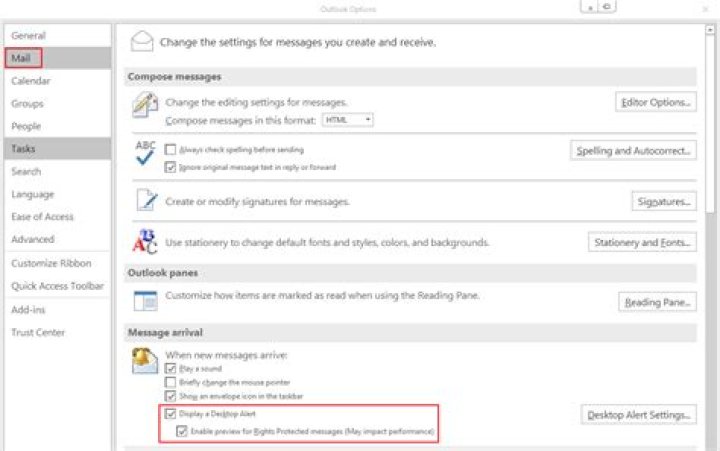
Mail -> Message arrival -> Display Alert and Enable preview for Rights Protected messages