
Fonts in some Wine applications (Word 2007 for example) are heavily aliased. How do I turn on anti aliasing for Wine applications?
3 Answers
The easiest way is through winetricks
mkdir ~/bin cd ~/bin wget chmod +x ./winetricks winetricks fontsmooth-rgb In newer version of winetricks the command to use is
winetricks settings fontsmooth=rgb There are other LCD pixel orders available. You can read about them and the rest of the impressive winetricks feature list on its WineHQ site.
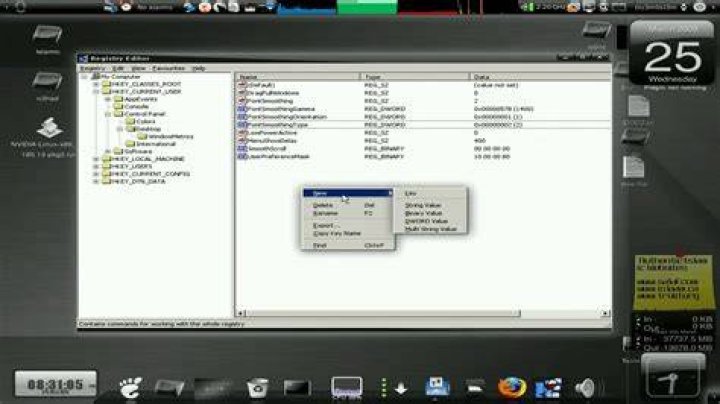
3Just adding details to Oli's answer for those who need it: what winetricks settings fontsmooth=rgb actually does is creating and importing a registry file with the following content:
REGEDIT4 [HKEY_CURRENT_USER\Control Panel\Desktop] "FontSmoothing"="2" "FontSmoothingGamma"=dword:00000578 "FontSmoothingOrientation"=dword:00000001 "FontSmoothingType"=dword:00000002 Once you saved it as fontsmoothing.reg you can import it with:
wine regedit fontsmoothing.reg An alternative method with no relation on a temp file:
$ env WINEPREFIX=~/.wine/<prefix> wine reg add "HKCU\Control Panel\Desktop" /v FontSmoothing /t REG_SZ /d 2 /f $ env WINEPREFIX=~/.wine/<prefix> wine reg add "HKCU\Control Panel\Desktop" /v FontSmoothingGamma /t REG_DWORD /d 0x578 /f $ env WINEPREFIX=~/.wine/<prefix> wine reg add "HKCU\Control Panel\Desktop" /v FontSmoothingOrientation /t REG_DWORD /d 1 /f $ env WINEPREFIX=~/.wine/<prefix> wine reg add "HKCU\Control Panel\Desktop" /v FontSmoothingType /t REG_DWORD /d 2 /f Verify that the changes are applied successfully:
$ env WINEPREFIX=~/.wine/<prefix> wine reg query "HKCU\Control Panel\Desktop" | grep FontSmoothing