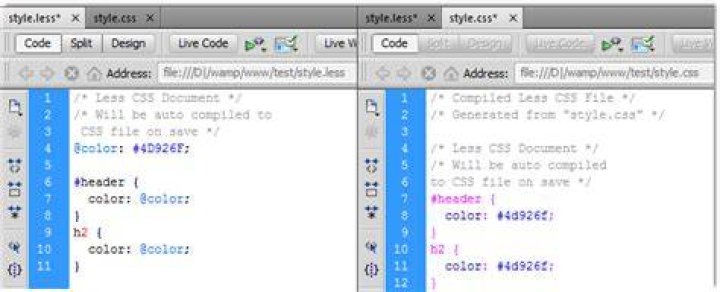
You can install less css compiler easy:
apt-get install lessc But that only installs version 1.1.0. How can you update to the very latest version?
(The latest version is 1.3.0)
-- update --
- I want to use the lessc command-line tool, not the client-side implentation.
6 Answers
Are you using it client-side (in the browser)? If so, it's a single JavaScript file, just download it.
If you're using it server-side (from a NodeJS application), or want the lessc command-line tool, the recommended way to install is using npm (the Node Package Manager):
npm install less If you don't have npm, it's in the Ubuntu 11.10 repositories:
sudo apt-get install npm or Using Software Center 
After a lot of head-hitting-desk moments I managed to solve this one.
Originally I had installed lessc using:
sudo apt-get install node-less yui-compressor This gave me lessc 1.2.1 from the command lessc -v
Had to manually download the Quantal version from a repo
(this gave me ~/Downloads/node-less_1.3.0~20120310-1_all.deb)
Then:
sudo dpkg -i ~/Downloads/node-less_1.3.0~20120310-1_all.deb now I have lessc 1.3.0
and:
lessc twit-bootstrap_2.0/less/bootstrap.less > /var/tmp/bs.css goes smoothly
As of Ubuntu 12.10, the node-less package installs v1.3.0 of lessc:
$ sudo apt-get install node-less ... $ lessc -v lessc 1.3.0 (LESS Compiler) [JavaScript] That is because, it is the latest version available in repositories
Whatever version is present in repositories you have added, apt-get will install only that version.
However if you want to install different version, you should try for other ways
Just :
npm install less -g or with sudo
sudo npm install less -g For checking version :
lessc -v check your version :
node -v you have to update nodejs first
sudo apt-get update sudo apt-get install -y python-software-properties python g++ make sudo add-apt-repository ppa:chris-lea/node.js sudo apt-get update sudo apt-get install nodejs uninstall less / and istall again
npm uninstall less npm install less check version :
lessc -v