
I see so many guides on how to run crontab, but what I need right now is to learn how to
- Find log files about cron jobs
- Configure what gets logged
6 Answers
Check if the programs you run with cron have their own log files. If if they don't but write their output to the standard outputs you can redirect these to files or mail them to you. Inside crontabs standard shell redirection works.
E.g. to redirect the error output of some_job.sh to some_job.err and discarding the standard output (i.e. sending it to /dev/null) add the following redirection to your crontab
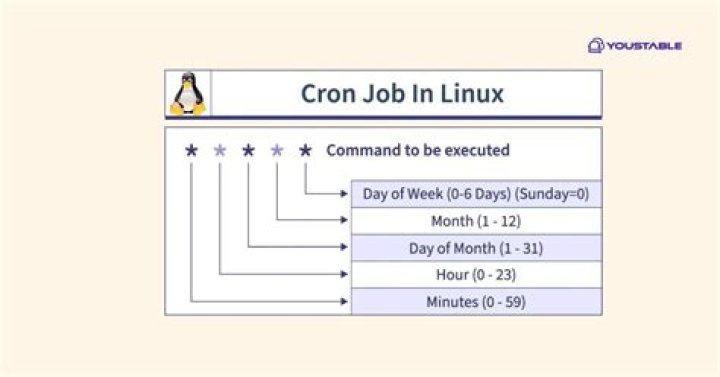
33 3 * * * /path/to/some_job.sh 1> /dev/null 2> /other/path/to/some_job.err or to mail it to you instead (if mail is available)
33 3 * * * /path/to/some_job.sh 1> /dev/null 2>&1 | mail -s "cron output" Most cron daemons on platforms I've worked with automatically email the stdout/stderr of user cron jobs to the user whose crontab the job came from. I forget what happens to system-wide (non-user-specific cron jobs from /etc/crontab). The thing is people don't always set up a mailer daemon (that is, a Mail Transfer Agent (MTA) like sendmail, qmail, or postfix) on most Unix-like OSes anymore. So the cron job output emails just die in a local mail spool folder somewhere if they even get that far. So one answer might just be to fire up your mailer daemon, and maybe make sure you have a ~/.forward file to forward your local mail along to your "real" email account.
If you want your jobs to write to specific log files, you can use standard output redirection like @honk suggested, or, supposing your cron job is a shell script, you could have your script call logger(1) or syslog(1) or whatever other command-line tool your OS provides for sending arbitrary messages to syslog. Then you could use your OS's built-in methods for configuring which kinds of messages get logged where, perhaps by editing /etc/syslog.conf.
Most of my cron jobs invoke bash scripts I wrote specifically for the purpose of being started by cron for a particular reason. In those, especially when I'm initially writing and debugging them, I like to use bash's "set -vx" to make the unexpanded and expanded form of each line of the shell script get written to stdout before it gets executed. Note that shell scripts started from cron are considered non-login, non-interactive shells, so your standard shell startup scripts like .bashrc and .profile aren't run. If you use bash and want bash to run a startup script, you have to define an environment variable "BASH_ENV=/path/to/my/startup/script" in your crontab before the line where you define the job.
3The tasks cron is executing are responsible for their own logging.
0I think redirecting within the cron-file might not be the best option in this case.
Often you want the logging speification co-located with the cron job script. In this case, I suggest the following:
#!/bin/bash exec &>> capture-log.txt echo "Running cron-job foo at $(date)" ... <rest of script> This appends the output from the cron job to the capture-log.txt file.
1The simplest way is to capture error messages and save them in a file. I have a cron job that calls a php command line, like this:
1 0 * * * php /pathOfMyApp/index.php controllerName functionName > /pathOfMyApp/log/myErrorLog 2>&1 The part before > is my cron job and after > is the capture and save in a file located in a log folder in the root of my project, but could be any place you want. Note: every time the cron job runs it will overwrite the previous log file. You can use >> to append to the end of an existing file.
If your crontab uses curl or wget and refers to a link, you can search in /var/log/httpd/appName for access-log, if cron is returning with 500 or 400 must be something wrong.
As a last resort, you can check /var/log/messages too.
I prefer to get e-mail reports about cron jobs. Just put
MAILTO= into crontab and you will get an email. Of course you have to have e-mail configured for your account.
Additional information: You can put MAILTO before each line in your crontab to specify different e-mails:
MAILTO= 0 1 * * * <job at 1 a.m. sent to mail1> MAILTO= 0 2 * * * <job at 2 a.m. sent to mail2> 



