How can I use zeroifnull for a column in my table - Snowflake?
3 Answers
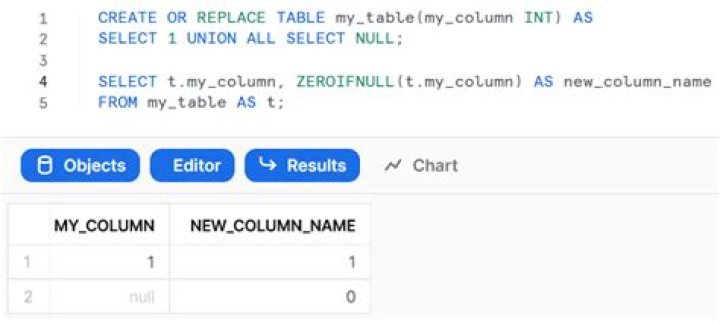
ZEROIFNULL is function that works on expression:
SELECT t.my_column, ZEROIFNULL(t.my_column) AS new_column_name FROM my_table AS t; Output: 
Do you mean directly within the Table definition ?
If so, you could use a virtual column expression as so...
create or replace table my_table(my_column int, my_column_zin int as (zeroifnull(my_column)) ); insert into my_table (my_column) values (1), (2), (3), (NULL); select my_column, my_column_zin, zeroifnull(my_column) AS my_column_zin_select from my_table; describe table my_table; I'm not sure I'd recommend this though. I think it's probably better practice to have a View defined on top of the table to embed any calculated column expressions, and this way you can also hide the raw untreated column unless you specifically want to include it.
create or replace view my_view as select zeroifnull(my_column) my_column from my_table; Select * from my_view; As stated before, a dedicated column definition in the table can make the trick. However, I would also not recommend this and rather use a view instead. This allows you later to check the raw data and - for example if requirements change - adjust the computation of your column based on the initial raw data.




