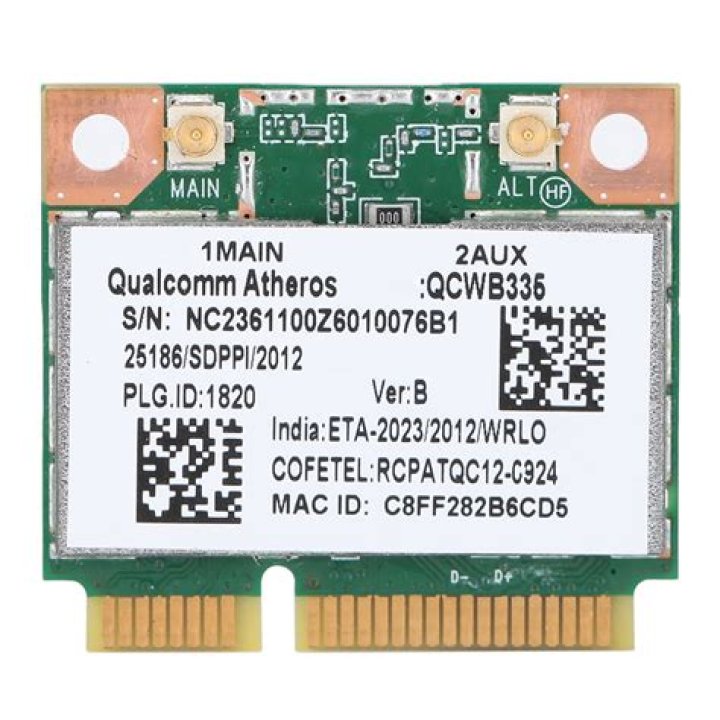

I bought a Lenovo Z70-80 last week and installed Ubuntu 14.04 Trusty Tahr. I've been on the forums ever since trying to find a reason why my wireless adapter doesn't work. It worked under Windows 10. Ethernet works fine. I'm realizing that there may not be drivers for it yet:
03:00.0 Network controller [0280]: Qualcomm Atheros QCA6174 802.11ac Wireless Network Adapter [168c:003e] (rev 20)
I've run the wireless info script I found here, and these are the results:
########## wireless info START ########## Report from: 17 Nov 2015 23:44 EST -0500 Booted last: 17 Nov 2015 23:26 EST -0500 Script from: 27 Sep 2015 00:34 UTC +0000 ##### release ########################### Distributor ID: Ubuntu Description: Ubuntu 14.04.3 LTS Release: 14.04 Codename: trusty ##### kernel ############################ Linux 3.19.0-33-generic #38~14.04.1-Ubuntu SMP Fri Nov 6 18:17:28 UTC 2015 x86_64 x86_64 x86_64 GNU/Linux Parameters: ro, quiet, splash, vt.handoff=7 ##### desktop ########################### Ubuntu ##### lspci ############################# 02:00.0 Ethernet controller [0200]: Realtek Semiconductor Co., Ltd. RTL8111/8168/8411 PCI Express Gigabit Ethernet Controller [10ec:8168] (rev 10) Subsystem: Lenovo Device [17aa:3819] Kernel driver in use: r8169 03:00.0 Network controller [0280]: Qualcomm Atheros QCA6174 802.11ac Wireless Network Adapter [168c:003e] (rev 20) Subsystem: Lenovo Device [17aa:3044] 04:00.0 3D controller [0302]: NVIDIA Corporation GM108M [GeForce 840M] [10de:1341] (rev a2) ##### lsusb ############################# Bus 002 Device 001: ID 1d6b:0003 Linux Foundation 3.0 root hub Bus 001 Device 004: ID 0cf3:e300 Atheros Communications, Inc. Bus 001 Device 003: ID 174f:14be Syntek Bus 001 Device 002: ID 0bda:0129 Realtek Semiconductor Corp. RTS5129 Card Reader Controller Bus 001 Device 001: ID 1d6b:0002 Linux Foundation 2.0 root hub ##### PCMCIA card info ################## ##### rfkill ############################ 0: hci0: Bluetooth Soft blocked: yes Hard blocked: no 1: ideapad_wlan: Wireless LAN Soft blocked: no Hard blocked: no 2: ideapad_bluetooth: Bluetooth Soft blocked: yes Hard blocked: no ##### lsmod ############################# ideapad_laptop 20480 0 sparse_keymap 16384 1 ideapad_laptop mxm_wmi 16384 1 nouveau wmi 20480 2 mxm_wmi,nouveau ##### interfaces ######################## auto lo iface lo inet loopback ##### ifconfig ########################## eth0 Link encap:Ethernet HWaddr <MAC 'eth0' [IF]> inet addr:10.0.0.38 Bcast:10.0.0.255 Mask:255.255.255.0 inet6 addr: 2601:147:0:6f47:<IP6 'eth0' [IF]>/64 Scope:Global inet6 addr: 2601:147:0:6f47:48f4:15bf:5b8a:9e86/64 Scope:Global inet6 addr: fe80::<IP6 'eth0' [IF]>/64 Scope:Link UP BROADCAST RUNNING MULTICAST MTU:1500 Metric:1 RX packets:18440 errors:0 dropped:0 overruns:0 frame:0 TX packets:12281 errors:0 dropped:0 overruns:0 carrier:0 collisions:0 txqueuelen:1000 RX bytes:16786797 (16.7 MB) TX bytes:1558681 (1.5 MB) ##### iwconfig ########################## eth0 no wireless extensions. lo no wireless extensions. ##### route ############################# Kernel IP routing table Destination Gateway Genmask Flags Metric Ref Use Iface 0.0.0.0 10.0.0.1 0.0.0.0 UG 0 0 0 eth0 10.0.0.0 0.0.0.0 255.255.255.0 U 1 0 0 eth0 ##### resolv.conf ####################### nameserver 127.0.1.1 search hsd1.md.comcast.net ##### network managers ################## Installed: NetworkManager Running: root 908 1 0 23:26 ? 00:00:00 NetworkManager ##### NetworkManager info ############### NetworkManager Tool State: connected (global) - Device: eth0 [Wired connection 1] ------------------------------------------- Type: Wired Driver: r8169 State: connected Default: yes HW Address: <MAC 'eth0' [IF]> Capabilities: Carrier Detect: yes Speed: 1000 Mb/s Wired Properties Carrier: on IPv4 Settings: Address: 10.0.0.38 Prefix: 24 (255.255.255.0) Gateway: 10.0.0.1 DNS: 75.75.75.75 DNS: 75.75.76.76 IPv6 Settings: Address: 2601:147:0:6f47:48f4:15bf:5b8a:9e86 Prefix: 64 Gateway: fe80::ea89:2cff:fef9:31e1 Address: 2601:147:0:6f47:<IP6 'eth0' [IF]> Prefix: 64 Gateway: fe80::ea89:2cff:fef9:31e1 Address: fe80::<IP6 'eth0' [IF]> Prefix: 64 Gateway: fe80::ea89:2cff:fef9:31e1 DNS: 2001:558:feed::1 DNS: 2001:558:feed::2 ##### NetworkManager.state ############## [main] NetworkingEnabled=true WirelessEnabled=true WWANEnabled=true WimaxEnabled=true ##### NetworkManager.conf ############### [main] plugins=ifupdown,keyfile,ofono dns=dnsmasq [ifupdown] managed=false ##### NetworkManager profiles ########### ##### iw reg get ######################## Region: America/New_York (based on set time zone) country 00: (2402 - 2472 @ 40), (6, 20) (2457 - 2482 @ 40), (6, 20), PASSIVE-SCAN (2474 - 2494 @ 20), (6, 20), NO-OFDM, PASSIVE-SCAN (5170 - 5250 @ 160), (6, 20), PASSIVE-SCAN (5250 - 5330 @ 160), (6, 20), DFS, PASSIVE-SCAN (5490 - 5730 @ 160), (6, 20), DFS, PASSIVE-SCAN ##### iwlist channels ################### eth0 no frequency information. lo no frequency information. ##### iwlist scan ####################### Sorry, try again. eth0 Interface doesn't support scanning. lo Interface doesn't support scanning. ##### module infos ###################### ##### module parameters ################# ##### /etc/modules ###################### lp rtc ##### modprobe options ################## [/etc/modprobe.d/blacklist-ath_pci.conf] blacklist ath_pci [/etc/modprobe.d/blacklist.conf] blacklist evbug blacklist usbmouse blacklist usbkbd blacklist eepro100 blacklist de4x5 blacklist eth1394 blacklist snd_intel8x0m blacklist snd_aw2 blacklist i2c_i801 blacklist prism54 blacklist bcm43xx blacklist garmin_gps blacklist asus_acpi blacklist snd_pcsp blacklist pcspkr blacklist amd76x_edac [/etc/modprobe.d/blacklist-rare-network.conf] alias net-pf-3 off alias net-pf-6 off alias net-pf-9 off alias net-pf-11 off alias net-pf-12 off alias net-pf-19 off alias net-pf-21 off alias net-pf-36 off [/etc/modprobe.d/iwlwifi.conf] remove iwlwifi \ (/sbin/lsmod | grep -o -e ^iwlmvm -e ^iwldvm -e ^iwlwifi | xargs /sbin/rmmod) \ && /sbin/modprobe -r mac80211 [/etc/modprobe.d/mlx4.conf] softdep mlx4_core post: mlx4_en ##### rc.local ########################## exit 0 ##### pm-utils ########################## ##### udev rules ######################## [/etc/udev/rules.d/70-persistent-net.rules] # PCI device 0x10ec:0x8168 (r8169) SUBSYSTEM=="net", ACTION=="add", DRIVERS=="?*", ATTR{address}=="<MAC 'eth0' [IF]>", ATTR{dev_id}=="0x0", ATTR{type}=="1", KERNEL=="eth*", NAME="eth0" ##### dmesg ############################# [ 20.849529] Bluetooth: hci0: don't support firmware rome 0x200 [ 21.025627] r8169 0000:02:00.0 eth0: link down (repeated 2 times) [ 21.025680] IPv6: ADDRCONF(NETDEV_UP): eth0: link is not ready [ 23.977440] r8169 0000:02:00.0 eth0: link up [ 23.977449] IPv6: ADDRCONF(NETDEV_CHANGE): eth0: link becomes ready ########## wireless info END ############ Thanks in advance.
31 Answer
Component support is much better than it used to be and Ubuntu among others in the community deserve more than just a pat on back in this regard (donations talk). Qualcomm along with other manufacturers have announced open sourcing firmware for their hardware. However wireless and graphics (nvidia!) card support can still be scarce on newer machines.
If wireless doesn't work, then in general try:
Upgrade to a distro with the latest kernel and drivers (sometimes using new firmware with some rmmod and modprobe will do the trick). For the QCA6174 the easiest thing to do is upgrade to Ubuntu 15.10 (you can use the Ubuntu software updater rather than installing 15.10 from scratch) as this has the kernel 4.2 and the ath10k firmware required.
An odd thing that may happen after an upgrade is that the touchpad stops working, usually solved by detaching and then attaching the touchpad in terminal and/or reinstalling the firmware e.g. synaptics (help can be found in askubuntu).
In general when playing with linux, a very good idea is to have a USB mouse and a USB wireless card.
Backports can be a very quick and convenient solution for allowing older kernels to work with software that only has support with newer kernels. You'd download backport for your distro and then the firmware packages for the NIC. About UbuntuBackports.
If the above don't work you could buy a cheap dual band ac USB wireless card for under $15 that has Linux support (check their official website). You can use this until the kernel and firmware for your NIC come out and it'll be very handy to have around should anything break.
If you need the USB port or have some other reason not to use 3, then you could get a new NIC with Linux support. Intel ones generally seem to have good support well before they even release the hardware.