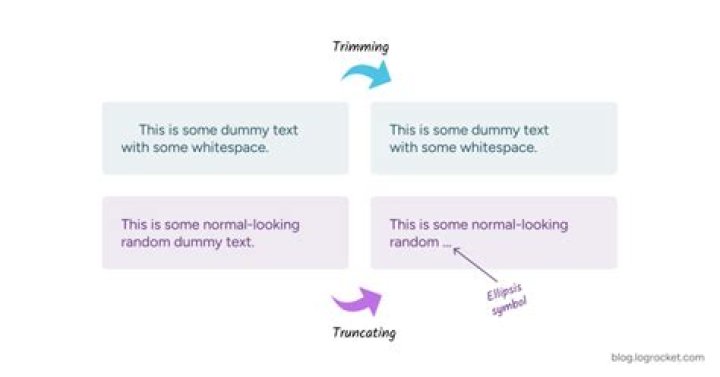

How would you go about removing everything after x number of characters? For example, cut everything after 15 characters and add ... to it.
This is an example sentence should turn into This is an exam...
6 Answers
GnuTools head can use chars rather than lines:
head -c 15 <<<'This is an example sentence' Although consider that head -c only deals with bytes, so this is incompatible with multi-bytes characters like UTF-8 umlaut ü.
Bash built-in string indexing works:
str='This is an example sentence' echo "${str:0:15}" Output:
This is an exam And finally something that works with ksh, dash, zsh…:
printf '%.15s\n' 'This is an example sentence' Even programmatically:
n=15 printf '%.*s\n' $n 'This is an example sentence' If you are using Bash, you can directly assign the output of printf to a variable and save a sub-shell call with:
trim_length=15 full_string='This is an example sentence' printf -v trimmed_string '%.*s' $trim_length "$full_string" Use sed:
echo 'some long string value' | sed 's/\(.\{15\}\).*/\1.../' Output:
some long strin... This solution has the advantage that short strings do not get the ... tail added:
echo 'short string' | sed 's/\(.\{15\}\).*/\1.../' Output:
short string So it's one solution for all sized outputs.
Use cut:
echo "This is an example sentence" | cut -c1-15 This is an exam This includes characters (to handle multi-byte chars) 1-15, c.f. cut(1)
-b, --bytes=LIST select only these bytes -c, --characters=LIST select only these characters Awk can also accomplish this:
$ echo 'some long string value' | awk '{print substr($0, 1, 15) "..."}' some long strin... In awk, $0 is the current line. substr($0, 1, 15) extracts characters 1 through 15 from $0. The trailing "..." appends three dots.
Todd actually has a good answer however I chose to change it up a little to make the function better and remove unnecessary parts :p
trim() { if (( "${#1}" > "$2" )); then echo "${1:0:$2}$3" else echo "$1" fi } In this version the appended text on longer string are chosen by the third argument, the max length is chosen by the second argument and the text itself is chosen by the first argument.
No need for variables :)
1Using Bash Shell Expansions (No External Commands)
If you don't care about shell portability, you can do this entirely within Bash using a number of different shell expansions in the printf builtin. This avoids shelling out to external commands. For example:
trim () { local str ellipsis_utf8 local -i maxlen # use explaining variables; avoid magic numbers str="$*" maxlen="15" ellipsis_utf8=$'\u2026' # only truncate $str when longer than $maxlen if (( "${#str}" > "$maxlen" )); then printf "%s%s\n" "${str:0:$maxlen}" "${ellipsis_utf8}" else printf "%s\n" "$str" fi } trim "This is an example sentence." # This is an exam… trim "Short sentence." # Short sentence. trim "-n Flag-like strings." # Flag-like strin… trim "With interstitial -E flag." # With interstiti… You can also loop through an entire file this way. Given a file containing the same sentences above (one per line), you can use the read builtin's default REPLY variable as follows:
while read; do trim "$REPLY" done < example.txt Whether or not this approach is faster or easier to read is debatable, but it's 100% Bash and executes without forks or subshells.
1



