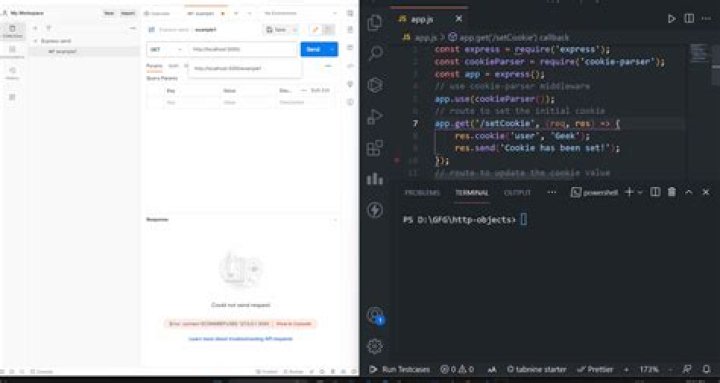

In my application, I need to set a cookie using the express framework. I have tried the following code but it's not setting the cookie.
var express = require('express'), http = require('http'); var app = express(); app.configure(function(){ app.use(express.cookieParser()); app.use(express.static(__dirname + '/public')); app.use(function (req, res) { var randomNumber=Math.random().toString(); randomNumber=randomNumber.substring(2,randomNumber.length); res.cookie('cokkieName',randomNumber, { maxAge: 900000, httpOnly: true }) console.log('cookie have created successfully'); }); }); var server = http.createServer(app); var io = require('socket.io').listen(server); server.listen(5555); 7 Answers
The order in which you use middleware in Express matters: middleware declared earlier will get called first, and if it can handle a request, any middleware declared later will not get called.
If express.static is handling the request, you need to move your middleware up:
// need cookieParser middleware before we can do anything with cookies app.use(express.cookieParser()); // set a cookie app.use(function (req, res, next) { // check if client sent cookie var cookie = req.cookies.cookieName; if (cookie === undefined) { // no: set a new cookie var randomNumber=Math.random().toString(); randomNumber=randomNumber.substring(2,randomNumber.length); res.cookie('cookieName',randomNumber, { maxAge: 900000, httpOnly: true }); console.log('cookie created successfully'); } else { // yes, cookie was already present console.log('cookie exists', cookie); } next(); // <-- important! }); // let static middleware do its job app.use(express.static(__dirname + '/public')); Also, middleware needs to either end a request (by sending back a response), or pass the request to the next middleware. In this case, I've done the latter by calling next() when the cookie has been set.
Update
As of now the cookie parser is a seperate npm package, so instead of using
app.use(express.cookieParser()); you need to install it separately using npm i cookie-parser and then use it as:
const cookieParser = require('cookie-parser'); app.use(cookieParser()); Set Cookie?
res.cookie('cookieName', 'cookieValue') Read Cookie?
req.cookies Demo
const express('express') , cookieParser = require('cookie-parser'); // in order to read cookie sent from client app.get('/', (req,res)=>{ // read cookies console.log(req.cookies) let options = { maxAge: 1000 * 60 * 15, // would expire after 15 minutes httpOnly: true, // The cookie only accessible by the web server signed: true // Indicates if the cookie should be signed } // Set cookie res.cookie('cookieName', 'cookieValue', options) // options is optional res.send('') }) Not exactly answering your question, but I came across your question, while looking for an answer to an issue that I had. Maybe it will help somebody else.
My issue was that cookies were set in server response, but were not saved by the browser.
The server response came back with cookies set:
Set-Cookie:my_cookie=HelloWorld; Path=/; Expires=Wed, 15 Mar 2017 15:59:59 GMT This is how I solved it.
I used fetch in the client-side code. If you do not specify credentials: 'include' in the fetch options, cookies are neither sent to server nor saved by the browser, even though the server response sets cookies.
Example:
var headers = new Headers(); headers.append('Content-Type', 'application/json'); headers.append('Accept', 'application/json'); return fetch('/your/server_endpoint', { method: 'POST', mode: 'same-origin', redirect: 'follow', credentials: 'include', // Don't forget to specify this if you need cookies headers: headers, body: JSON.stringify({ first_name: 'John', last_name: 'Doe' }) }) Set a cookie:
res.cookie('cookie', 'monster')
Read a cookie:
(using cookie-parser middleware)
req.cookies['cookie'] Setting cookie in the express is easy
- first install cookie-parser
npm install cookie-parser - using middleware
const cookieParser = require('cookie-parser'); app.use(cookieParser()); - Set cookie know more
res.cookie('cookieName', '1', { expires: new Date(Date.now() + 900000), httpOnly: true }) - Accessing that cookie know more
console.dir(req.cookies.cookieName) Done!
setting a cookie can be done as such:
res.cookie('cookie name', 'cookie value', [options])
where cookie_name is the name(String) of the cookie you wish to set, for example - "token", and the cookie value is the value(String) you wish to store in the said cookie. as far as options go, you can read more about them here:
one example of an option is 'maxAge' which indicates how long a cookie is valid, this is used for example when assigning an authentication token and you wish to limit the time a user can stay logged in before having to re-login.
Reading a cookie can be done as such:
req.cookies['cookie name']
which will return the value of the cookie.
Isomorphic Read cookie helper:
function getCookieValue(cookieName = '', cookie = '') { const matches = cookie.match(`(^|[^;]+)\\s*${cookieName}\\s*=\\s*([^;]+)`) return matches ? matches.pop() : '' } // Node with express: getCookieValue('cookieName', req.headers.cookie) // Browser: getCookieValue('cookieName', document.cookie) Write in Node with express:
res.cookie('cookieName', 'cookieValue') Write in the browser:
function setCookie( cname, cvalue, exdays = 100 * 365 /* 100 days */ ) { const now = new Date() const expireMs = exdays * 24 * 60 * 60 * 1000 now.setTime(now.getTime() + expireMs) document.cookie = `${cname}=${cvalue};expires=${now.toUTCString()};path=/` } // Example of usage setCookie('cookieName', 'cookieValue') 



