I tried to install the MP190 drivers, but appeared a message show me that requires to have libcupsys2. I understand that libcup2 is an update of libcupsys2.
How do I solve this? Are there proprietary drivers for my Canon printer or scanner?
28 Answers
PPA
I found the solution!
sudo add-apt-repository ppa:michael-gruz/canon-trunk sudo apt-get update for older releases use ppa:michael-gruz/canon.
Finally,
sudo apt-get install [model]
Printer
Where [model] would be for:
Canon Pixma iP Series Ubuntu driver
Canon iP100 Ubuntu Driver - cnijfilter-ip100series Canon iP1800 Ubuntu Driver - cnijfilter-ip1800series Canon iP1000 Ubuntu Driver - cnijfilter-pixmaip1000series Canon iP1500 Ubuntu Driver - cnijfilter-pixmaip1500series Canon iP1900 Ubuntu Driver - cnijfilter-ip1900series Canon iP 2200 Ubuntu Driver - cnijfilter-ip2200series Canon iP2500 Ubuntu Driver - cnijfilter-ip2500series Canon iP2600 Ubuntu Driver - cnijfilter-ip2600series Canon iP2700 Ubuntu Driver - cnijfilter-ip2700series Canon iP3300 Ubuntu Driver - cnijfilter-ip3300series Canon iP3500 Ubuntu Driver - cnijfilter-ip3500series Canon iP3600 Ubuntu Driver - cnijfilter-ip3600series Canon iP4200 Ubuntu Driver - cnijfilter-ip4200series Canon iP4500 Ubuntu Driver - cnijfilter-ip4500series Canon iP4700 Ubuntu Driver - cnijfilter-ip4700series Canon iP4800 Ubuntu Driver - cnijfilter-ip4800series Canon iP5200 Ubuntu Driver - cnijfilter-ip5200series Canon iP6600 Ubuntu Driver - cnijfilter-ip6600series Canon iP7500 Ubuntu Driver - cnijfilter-ip7500series Canon Pixma MG Series Ubuntu Driver
Canon MG5100 Ubuntu Driver - cnijfilter-mg5100series Canon MG5200 Ubuntu Driver - cnijfilter-mg5200series Canon MG6100 Ubuntu Driver - cnijfilter-mg6100series Canon MG8100 Ubuntu Driver - cnijfilter-mg8100series Canon PIXMA MP Series Ubuntu Driver
Canon MP140 Ubuntu Driver - cnijfilter-mp140series Canon MP160 Ubuntu Driver - cnijfilter-mp160series Canon MP190 Ubuntu Driver - cnijfilter-mp190series Canon MP210 Ubuntu Driver - cnijfilter-mp210series Canon MP240 Ubuntu Driver - cnijfilter-mp240series Canon MP490 Ubuntu Driver - cnijfilter-mp490series Canon MP500 Ubuntu Driver - cnijfilter-mp500series Canon MP510 Ubuntu Driver - cnijfilter-mp510series Canon MP520 Ubuntu Driver - cnijfilter-mp520series Canon MP540 Ubuntu Driver - cnijfilter-mp540series Canon MP550 Ubuntu Driver - cnijfilter-mp550series Canon MP560 Ubuntu Driver - cnijfilter-mp560series Canon MP600 Ubuntu Driver - cnijfilter-mp600series Canon MP610 Ubuntu Driver - cnijfilter-mp610series Canon MP630 Ubuntu Driver - cnijfilter-mp630series Canon MP640 Ubuntu Driver - cnijfilter-mp640series Canon MX Series Ubuntu Driver
Canon MX320 Ubuntu Driver - cnijfilter-mx320series Canon MX330 Ubuntu Driver - cnijfilter-mx330series Canon MX350 Ubuntu Driver - cnijfilter-mx350series Canon MX360 Ubuntu Driver - cnijfilter-mx360series Canon MX410 Ubuntu Driver - cnijfilter-mx410series Canon MX420 Ubuntu Driver - cnijfilter-mx420series Canon MX860 Ubuntu Driver - cnijfilter-mx860series Canon MX870 Ubuntu Driver - cnijfilter-mx870series Canon MX880 Ubuntu Driver - cnijfilter-mx880series Canon PIXUS Series Ubuntu Driver
Pixus 550 Ubuntu Driver - cnijfilter-pixus5510iseries Pixus 560 Ubuntu Driver - cnijfilter-pixus560iseries Pixus 850 Ubuntu Driver - cnijfilter-pixus850iseries Pixus 860 Ubuntu Driver - cnijfilter-pixus860iseries Pixus 865 Ubuntu Driver - cnijfilter-pixus865iseries Pixus 950 Ubuntu Driver - cnijfilter-pixus950iseries Pixus 990 Ubuntu Driver - cnijfilter-pixus990iseries Canon Pixus ip3100 Ubuntu Driver - cnijfilter-pixusip3100series Canon Pixus ip4100 Ubuntu Driver - cnijfilter-pixusip4100series Canon Pixus ip8600 Ubuntu Driver - cnijfilter-pixusip8600series Scanner
If you would like to download the scanner application (and driver) install one of these packages (according to your model number):
scangearmp-mg5100series scangearmp-mg5200series scangearmp-mg6100series scangearmp-mg8100series scangearmp-mp140series scangearmp-mp160series scangearmp-mp190series scangearmp-mp210series scangearmp-mp240series scangearmp-mp250series scangearmp-mp270series scangearmp-mp280series scangearmp-mp490series scangearmp-mp495series scangearmp-mp510series scangearmp-mp520series scangearmp-mp540series scangearmp-mp550series scangearmp-mp560series scangearmp-mp600series scangearmp-mp610series scangearmp-mp630series scangearmp-mp640series scangearmp-mx320series scangearmp-mx330series scangearmp-mx340series scangearmp-mx350series scangearmp-mx360series scangearmp-mx410series scangearmp-mx420series scangearmp-mx860series scangearmp-mx870series scangearmp-mx880series Then look for "Scan Gear MP" or run from the terminal:
scangearmp For 14.04 through 20.04 do the following:
Extract the file archive to a directory. From that directory:
cd ~/Downloads tar -xf *inux_UFRII*.tar.* sudo dpkg -i *inux_UFRII*/*/Debian/*.deb sudo apt-get install -fIt shouldn't be necessary to reboot, but if the next step fails, reboot and try again.
Run "Add printer". That should just show up automatically when you click the 'Add' button. Give it a few seconds and the printer chirps then just magically shows up.
EDIT 2/27/16 (16.04beta) Updated the link to the 3.10 driver (they updated their website). Everything just worked using above, didn't need to reboot.
EDIT 9/8/16: The current driver version is now 3.20. Make installation commands agnostic to both the driver version and the system architecture.
EDIT 06/12/20: The current driver version is now 5.10. Adjusted the installation steps for different wildcards.
7For many (but not all) Canon printers and scanners we can download a proprietary Linux driver from Canon Asia. If a driver was not yet listed in the Canon web search tool linked above we may still find links to the appropriate driver downlaods from the Canon product overview page. Download the Debian package archives to install the proprietary printer drivers with the Ubuntu Software Center by a double click on them.
The proprietary scanner application scangearmp will not install with SANE and hence can not be used with applications based on SANE. After installation is it run from the terminal:
scangearmp Note that drivers available there support a series of printers but not a subset of of this series. This is usually indicated by the product numbering (e.g. for a Pixma IP 2820 you will download the driver for the IP2800 series, for a PIXMA MX457 you will need the driver for the MX450 series, etc.)
Older drivers may also be available from ppa:michael-gruz/canon-trunk.
Some Canon printers are also supported by the Gutenprint drivers. Borderless or high resolution photo-printing may not be supported.
You may note that these drivers allow printing but they usually will not fully support all printer features. This has been like that for all Canon printers for reasons only Canon knows of.
In case we need a driver that fully supports all printer features there is a commercially available printer driver Turboprint which actually works great but you may not want to support their rather weird and expensive licencing plan (starting from $34 for one computer and two printers with free updates for 6 months only).
libcupsys2 is a virtual package in 11.10 which installs libcups2. Maybe the canon driver (it is a proprietary driver i guess) checks for this package. You could install this meta-package doing:
sudo apt-get install libcupsys2 This should not install anything new, but mark the package itself as installed.
Then install the package using the following command:
dpkg -i --ignore-depends=libcupsys2 foo.deb (Replace foo.deb by the package of the driver)
4you may have to use
sudo add-apt-repository ppa:michael-gruz/canon-trunk I did. And the printer works fine.
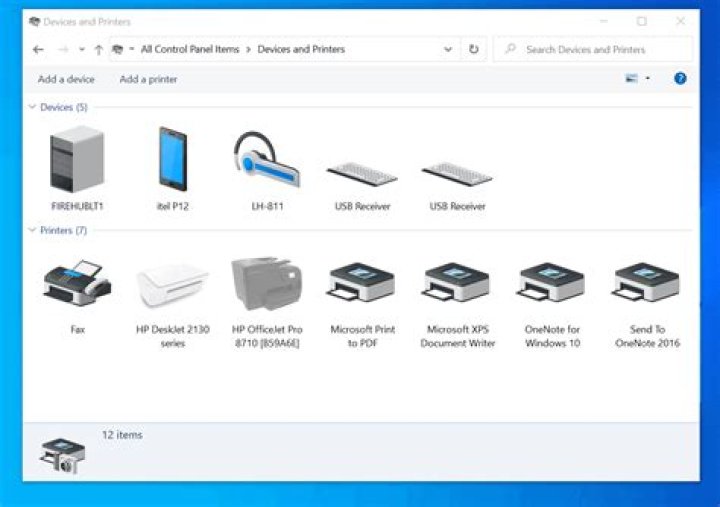
1For newer Versions (I am currently running Ubuntu 20.04) it might be possible to simply use the GUI to add the Printer so check that out first (Printers -> Add -> ...).
If that does not work try executing the install.sh-Script if it is included in the driver .tar.gz-file of your driver (can be downloaded from the Canon Website, Section Drivers). Afterwards try adding the printer from the GUI again, that's what I just did and it works perfectly.
If that does not work, some of the other answers seem to work with newer versions of Ubuntu as well - so you might give that a try as well :) Good Luck :)
For Ubuntu 20.10:
Install the
printer-driver-gutenprintpackage:sudo apt install printer-driver-gutenprintOpen System Settings → Printers, and having selected your printer, the list of drivers should now be a lot more comprehensive!
...
A third-party ppa contains the driver and scangear for commonly used Canon printers, available for Ubuntu 14.04 LTS, and its derivatives, such as Linux Mint 17.
Below devices are supported:
- bjf9000, bjf900, bjs300, bjs500, bjs700 series
- e500, e510, e600, e610 series
- i250, i255, i550, i560, i850, i860, i950, i990 series
- ip100, ip1800, ip1900, ip2200, ip2500, ip2600, ip2700, ip3000, ip3300, ip3500, ip3600, ip4000, ip4200, ip4300, ip4500, ip4600, ip4700, ip4800, ip4900, ip5000, ip5200, ip6600, ip7200, ip7500, ip8500, ip90 series
- ix6500 series
- mg2100, mg2200, mg3100, mg3200, mg4100, mg4200, mg5100, mg5200, mg5300, mg5400, mg6100, mg6200, mg6300, mg8100, mg8200 series.
- mp140, mp160, mp190, mp210, mp230, mp240, mp250, mp270, mp280, mp490, mp495, mp500, mp510, mp520, mp540, mp550, mp560, mp600, mp610, mp620, mp630, mp640, mp750, mp780 series.
- mx320, mx330, mx340, mx350, mx360, mx370, mx390, mx410, mx420, mx430, mx450, mx510, mx520, mx710, mx720, mx860, mx870, mx880, mx890, mx920 series.
- pixmaip1000, pixmaip1500 series.
- pixus250, pixus255, pixus550, pixus560, pixus850, pixus860, pixus950, pixus990 series
- pixusip3100, pixusip4100, pixusip8600 series
Install Canon Drivers / ScanGear in Ubuntu 14.04:
To get started, press Ctrl+Alt+T on keyboard to open terminal. When it opens, the command below and hit enter to run:
sudo add-apt-repository ppa:inameiname/stableType in your user password when it asks and hit Enter to continue. This will add the PPA repository into your system.
- After that, open Synaptic Package Manager from the Unity Dash. If you don’t find it, search for and install it from Ubuntu Software Center.
Do:
- Click the Reload button to refresh your system cache.
- To install a printer driver: In Quick filter box, type in
cnijfilter.- To install a ScanGear: In Quick filter box, type in
scangearmp.- Select a package in the result list that matches your device.
- Right-click on the package and select “Mark for Installation”
- Finally click on the “Apply” button to install the driver.
Once the printer and scanner drivers are installed, connect your device to the computer and start Printers utility test if it works. And launch the Simple Scan utility and select your scanner from app menu Documents -> Preferences -> Scan Source to test if the scanner works.