
I know that I can replace text and leave numbers unchanged in the same match in Android studio using something like textView(\d+) in "find" field and referencing group by textView$1 but how can I increment that numbers like textView$1++? for example textView1 <anytext> textView2, textView3 and etc? not like "textView5 textView5 textView5 becomes textView6 textView6 textView6", but textView6 textView7 textView8. You can suggests other tools as well.
1 Answer
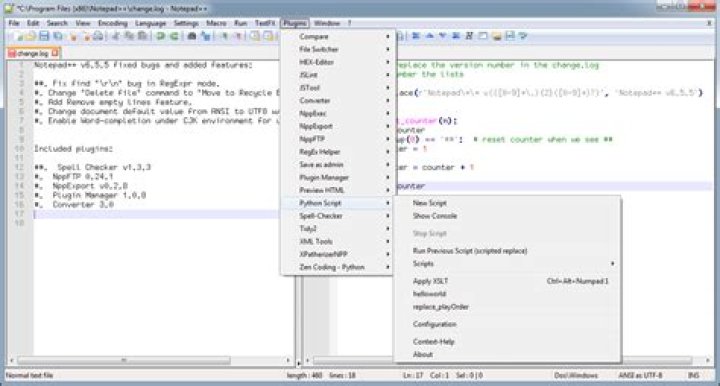
- With Notepad++, install Python Script plugin.
- Go to Plugins -> Python Script -> New Script.
- Enter the code below. Save it.
import re counter = 0 def calculate(match): global counter counter += 1 number = int(match.group(0)) + counter return str(number) editor.rereplace('(?<=textView)(5)', calculate) - Open the file you want to edit.
- Go to Plugins -> Python Script -> Scripts, select the script you created and saved.