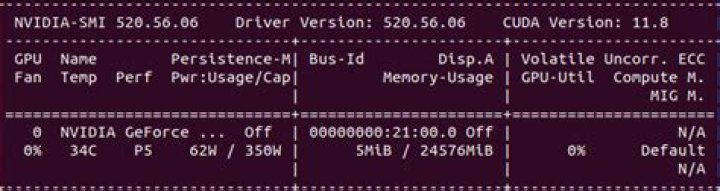
My CUDA program crashed during execution, before memory was flushed. As a result, device memory remained occupied.
I'm running on a GTX 580, for which nvidia-smi --gpu-reset is not supported.
Placing cudaDeviceReset() in the beginning of the program is only affecting the current context created by the process and doesn't flush the memory allocated before it.
I'm accessing a Fedora server with that GPU remotely, so physical reset is quite complicated.
So, the question is - Is there any way to flush the device memory in this situation?
118 Answers
check what is using your GPU memory with
sudo fuser -v /dev/nvidia* Your output will look something like this:
USER PID ACCESS COMMAND /dev/nvidia0: root 1256 F...m Xorg username 2057 F...m compiz username 2759 F...m chrome username 2777 F...m chrome username 20450 F...m python username 20699 F...m python Then kill the PID that you no longer need on htop or with
sudo kill -9 PID. In the example above, Pycharm was eating a lot of memory so I killed 20450 and 20699.
9First type
nvidia-smi then select the PID that you want to kill
sudo kill -9 PID Although it should be unecessary to do this in anything other than exceptional circumstances, the recommended way to do this on linux hosts is to unload the nvidia driver by doing
$ rmmod nvidia with suitable root privileges and then reloading it with
$ modprobe nvidia If the machine is running X11, you will need to stop this manually beforehand, and restart it afterwards. The driver intialisation processes should eliminate any prior state on the device.
This answer has been assembled from comments and posted as a community wiki to get this question off the unanswered list for the CUDA tag
1I also had the same problem, and I saw a good solution in quora, using
sudo kill -9 PID. for the ones using python:
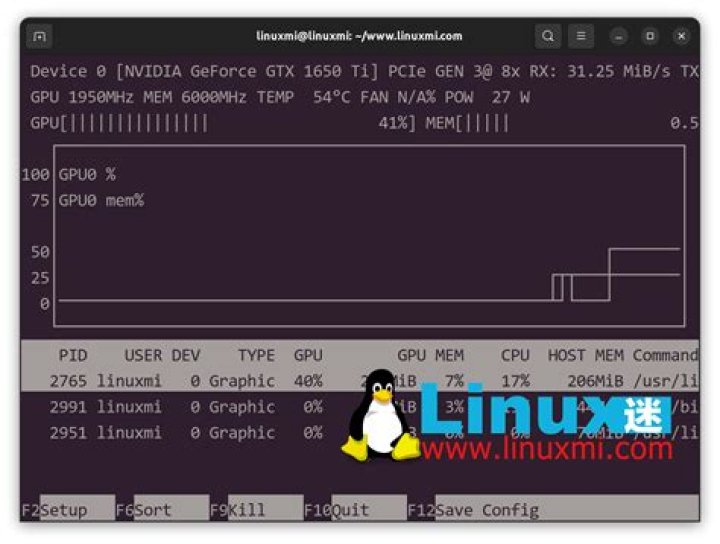
import torch, gc gc.collect() torch.cuda.empty_cache() One can also use nvtop, which gives an interface very similar to htop, but showing your GPU(s) usage instead, with a nice graph. You can also kill processes directly from here.
Here is a link to its Github :
on macOS (/ OS X), if someone else is having trouble with the OS apparently leaking memory:
- is useful for quickly checking free memory
- Quitting applications seems to free the memory they use. Quit everything you don't need, or quit applications one-by-one to see how much memory they used.
- If that doesn't cut it (quitting about 10 applications freed about 500MB / 15% for me), the biggest consumer by far is WindowServer. You can Force quit it, which will also kill all applications you have running and log you out. But it's a bit faster than a restart and got me back to 90% free memory on the cuda device.
For OS: UBUNTU 20.04 In the terminal type
nvtop
If the direct killing of consuming activity doesn't work then find and note the exact number of activity PID with most GPU usage.
sudo kill PID -number 



