I can't get the Google reCAPTCHA to work on my Squarespace form. Site Key and Secret Key are both entered correctly. Both domains have been entered as well.

Both Client Side integration codes have been put into the pages' Header
And even after waiting 30 or so minutes, and creating a new set of keys and going over the same process by replacing the old codes, I'm still stuck with this error message, even when accessing the page from another medium.
If anyone has any idea how to integrate V3.0 Captcha into Squarespace it would be really appreciated!
4 Answers
Squarespace form blocks do not support reCAPTCHA V3.0 Site or Secret Keys at the moment. Must stick with V2.0 Keys for the time being.
0Downgrade to V2. For some reason. it works for me.
1Also, this error will occur if the version (V2 or V3) you have created on the Google reCAPTCHA admin page here is different than the one you specify in your CDN admin panel (such as Wordpress, Squarespace, etc.).
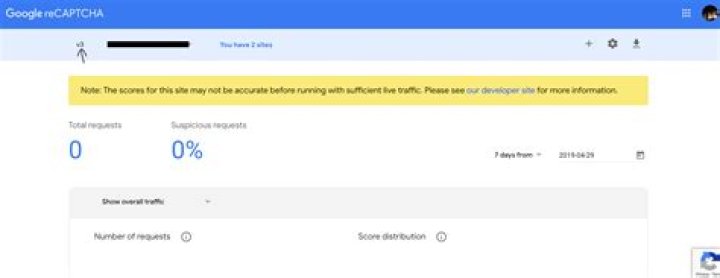
Meaning, if you created a V2 reCAPTCHA in Google reCAPTCHA admin, the keys will be different than if you created a V3. Notice the version on left side. Thus, specifying V3 in the CDN (ie: Wordpress) admin panel of a reCAPTCHA plugin on your site, like shown here , will give 'key type' error. Notice the version options below the keys. Version created in Google must match plugin settings.
Make sure your website would be on the same domain which is registered for reCaptcha, if your website is on testing server or any other domain for sure it will show you error.




