
I frequently correspond via email (in English) with people in Spanish-speaking countries. For some reason, Outlook 2010 INSISTS on changing the proofreading language to Spanish whenever I reply to their email (flagging nearly every word as a misspelling, and occasionally autocorrecting words behind my back if I'm not paying attention while I'm typing).
I've set English-US to be the default (in fact, ONLY) editing language in File->Options->Language for "Choose Editing Languages".
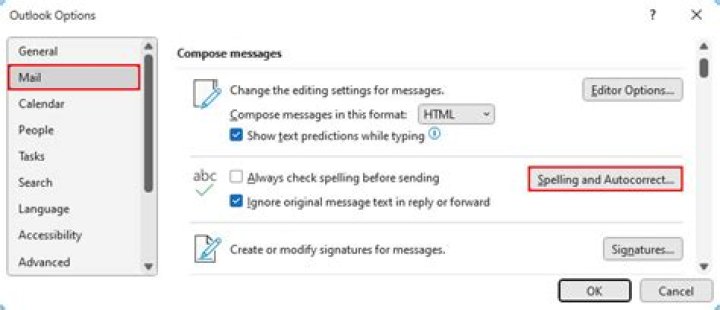
I un-checked "use contextual spelling" in File->Mail->Spelling and Autocorrect.
And still, whenever I get email from somebody in Spain or Mexico & hit reply, Outlook changes the spell-checking language to Spanish anyway, and nothing I do seems to be capable of forcing it back to English.
In fact, if I go to the "Review" tab of the email response I'm composing and choose "set proofing language" from the Language bar, it will be firmly set to one of the variants of Spanish. Worse, if I change it to English (US) and hit OK, the change is ignored. If I go back and check "Do not check spelling or grammar", BOTH changes are seemingly ignored. Everything will still be highlighted with red squiggly lines, and Outlook will still insist on forcibly rewriting some words into Spanish.
Interestingly, it ONLY seems to affect email from Spanish-speaking countries. I just did an experiment now with email sent from people in Singapore, Britain, India, Turkey, South Korea (with Hangul text), and Turkey (with Turkish text). Every one showed "English (US)" as the proofing language when I went to Review->Language.
13 Answers
Try turning off these options if they are on. "Detect language automatically" and "Automatically switch keyboard to match language of surrounding text".
1The solution to this problem is to add English as a new language to windows along with your own keyboard selected (to not have wrong characters while writing)
When using Office programs, the proofreader always switch to the language selected in the language bar.
A useful setting is in Windows 10 Settings > Keyboard > Let me set a different input method for each app window.
This means I can have Outlook using English (UK) so that the spell check works properly, and English (US) for everything else, to match my keyboard layout. It does mean that the symbols are in the wrong place when writing an email, but that's the least bad option I have found.




