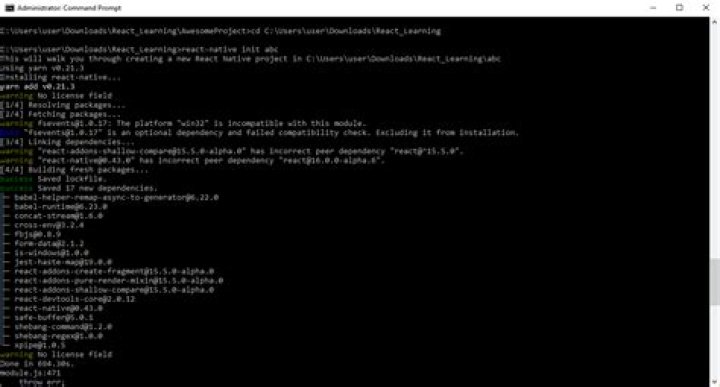

With a fresh project, after running react-native init {project}, during the phase "Installing required Cocoapods dependencies", this error is thrown:
Error: Cannot find module 'libnpx' at Function.Module._resolveFilename (internal/modules/cjs/loader.js:649:15) at Function.Module._load (internal/modules/cjs/loader.js:575:25) at Module.require (internal/modules/cjs/loader.js:705:19) at require (internal/modules/cjs/helpers.js:14:16) at Object.<anonymous> (/usr/local/lib/node_modules/npm/bin/npx-cli.js:3:13) at Module._compile (internal/modules/cjs/loader.js:799:30) at Object.Module._extensions..js (internal/modules/cjs/loader.js:810:10) at Module.load (internal/modules/cjs/loader.js:666:32) at tryModuleLoad (internal/modules/cjs/loader.js:606:12) at Function.Module._load (internal/modules/cjs/loader.js:598:3) (node:27038) UnhandledPromiseRejectionWarning: Error: Failed to install CocoaPods dependencies for iOS project, which is required by this template. Please try again manually: "cd ./RNimage/ios && pod install". Following the suggestion to run pod install, the same error is thrown in addition to
[!] Invalid 'Podfile' file 767: unexpected token at ''. # from /Users/.../Desktop/Development/RNproject/ios/Podfile:42 # ------------------------------------------- # > use_native_modules! # end # ------------------------------------------- I haven't even touched the project why is this happening and how do i fix it?
Before this i ran sudo chown -R 501:20 "/Users/vorousjames/.npm". I dont know if thats significant to this issue but it has broken alot.
5 Answers
In my case, I just updated nodejs using sudo n stable. After a successful upgrade, it showed the warning that the executable path for node has changed and I need to restart the current shell. I forgot to restart the shell, and got this error message. It worked fine after restarting.
No need to delete any files as for the above issue. So, to fix the problem just install the node from:
I had to reset the shell location hash with "hash -r"
3deleted node & npm files from usr/local/bin then re-installed node LTS version. npm commands work now
Try install libnpx using the following command :
npm i libnpx
It worked for me : )




