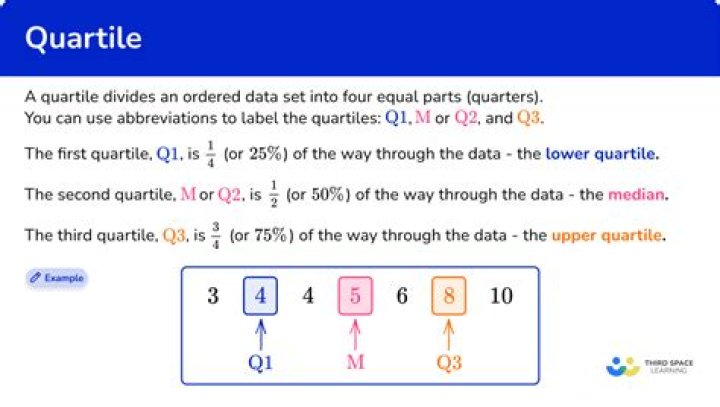

I need a function like xtile in Stata, that given a vector, it returns which quantile each obs belongs to. So if the function is defined as
function xtile(vector; q= 4) #q = 4 by default returns quartiles *** returns a vector with the same size as "vector", indicating which quantile each obs belongs to. end I want to use it in:
@pipe df |> transform(:height => xtile => :quantiles) I know Stella.jl provides such functionality. But I can't install that package and now I'm wondering if there is another package for it. Or maybe I can implement it myself.
2 Answers
While using the CategoricalArrays package is a good solution and has the added benefit of actually showing what the quantiles mean, it is very easy to implement xtile using just the Julia standard library:
using Statistics function xtile(x; n=4) q = quantile(x, LinRange(0, 1, n + 1)) map(v -> min(searchsortedlast(q, v), n), x) end A ready-made solution can be found with the cut method provided by the CategoricalArrays.jl package, as long as you are okay with an AbstractVector of Strings:
using CategoricalArrays x = rand(10); cut(x, 4) # 10-element CategoricalArray{String,1,UInt32}: # "Q4: [0.565838, 0.85564]" # "Q2: [0.333373, 0.393529)" # "Q4: [0.565838, 0.85564]" # "Q3: [0.393529, 0.565838)" # "Q1: [0.0381196, 0.333373)" # "Q3: [0.393529, 0.565838)" # "Q4: [0.565838, 0.85564]" # "Q1: [0.0381196, 0.333373)" # "Q1: [0.0381196, 0.333373)" # "Q2: [0.333373, 0.393529)" If you want the quantiles as numbers, you can get the level codes by broadcasting levelcode:
a = cut(x, 4); levelcode.(a) # 10-element Array{Int64,1}: # 4 # 2 # 4 # 3 # 1 # 3 # 4 # 1 # 1 # 2 This can be easily converted to a function that works in a pipe:
xtile(x; n=4) = levelcode.(cut(x, n)); xtile(x) # 10-element Array{Int64,1}: # 4 # 2 # 4 # 3 # 1 # 3 # 4 # 1 # 1 # 2 xtile(x, n=5) # 10-element Array{Int64,1}: # 4 # 2 # 5 # 4 # 1 # 3 # 5 # 2 # 1 # 3 



